Overbooking or double booking refers to a situation where more reservations have been made than there are actually available units. This can be either intentional (a strategic choice to increase occupancy) or completely unintentional.
Unintentional overbooking is rare but possible—and often unexpected. It can occur for a number of reasons, the most common of which we’ll explore in this article. We’ll also share tips on how to handle such situations as smoothly as possible.
In the booking calendar, overbooking appears as a noticeable orange highlight and a minus sign on the capacity row.

TABLE OF CONTENTS
- Rearranging issue or real overbooking?
- Disturbance at some stage of the booking flow
- Moving bookings vs. external booking channel terms of use
- Booking.com’s auto-replenishment feature
- Last available unit offered across all sales channels
- Overbooking has already happened — what should I do?
Rearranging issue or real overbooking?
It’s not always a case of actual overbooking. In many situations, the issue can be resolved simply by rearranging the bookings within the same room type.
In Moder, bookings are allocated to rooms within a room type from top to bottom. External sales channels – such as Booking.com, Airbnb, and Expedia – only see the number of available rooms displayed on the room type’s capacity row, not the individual room reservations.
Sometimes bookings may not appear in order in the calendar, which can make it look like an overbooking, even though there is still enough capacity. That’s why the first thing to check is always: can the situation be solved by rearranging the reservations within the room type?
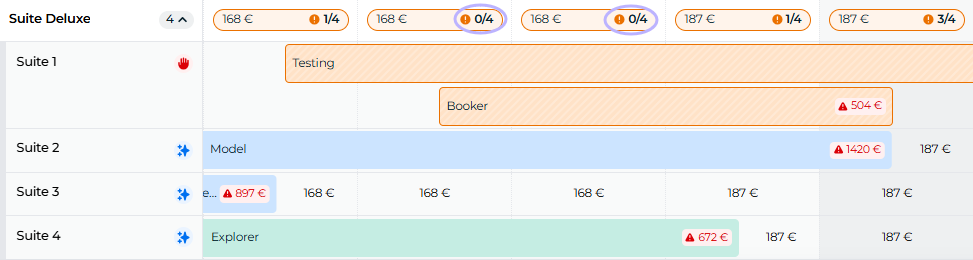
In this example, the first suite appears to be overbooked, but the capacity row shows that it actually isn’t — the capacity is at zero, not in the negative:
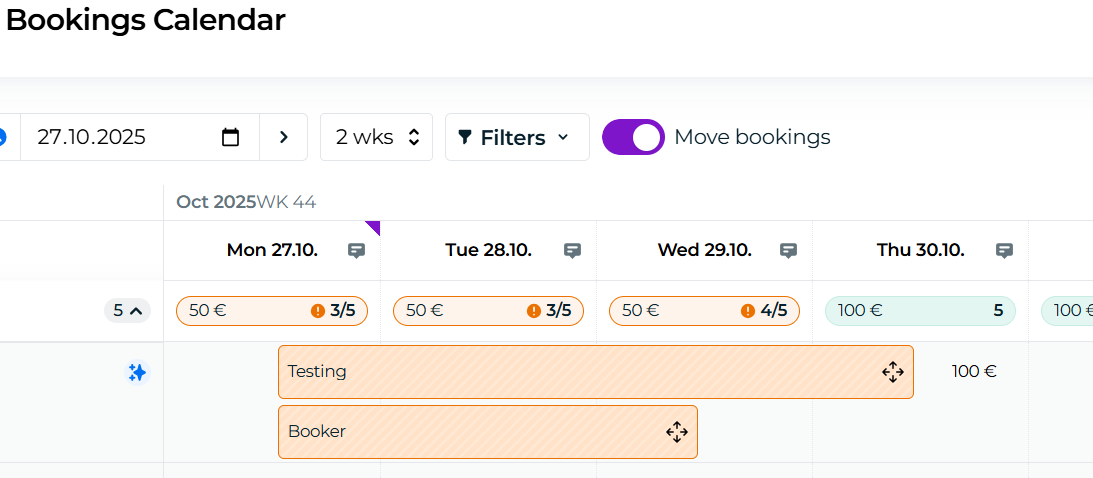
We move the Tina Testing reservation from the first suite to the third one: you can simply activate the "Move bookings" feature, and drag and drop the booking into unit 3, or you can go to the edit view of the booking and choose another unit from there.
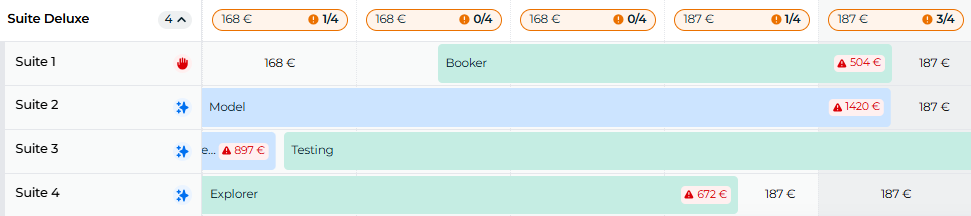
And so the situation has been resolved:
Prevention
Keep an eye on how new reservations are placed in the booking calendar, and stay ahead by arranging bookings consecutively in advance. A great tool for tracking the most recent bookings is the Bookings list:
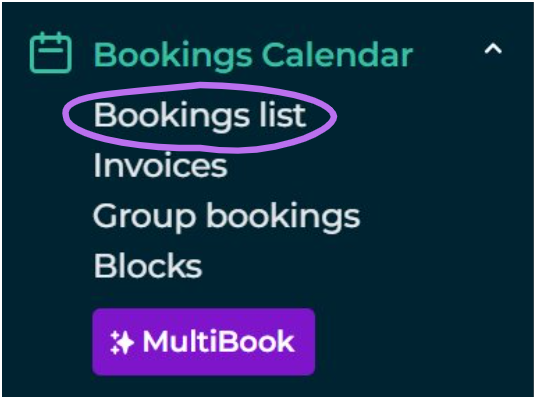
In the Booking list, without any filters applied, the most recent reservation always appears at the top.
Disturbance at some stage of the booking flow
If your room categories are connected to external sales channels (such as Booking.com, Airbnb, Expedia...), there may be up to three parties involved in the booking process: Moder, Beds24 (the channel management system we use), and the external sales channel. A disruption can occur at any of these stages.
Where do we report Moder outages?
Moder’s uptime target is 99.5% on a monthly basis. However, yes — on very rare occasions, we may experience an outage. We communicate such disruptions directly at the top of your Moder.app.
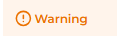
An orange warning indicates a minor issue that doesn’t completely prevent bookings or the use of Moder:
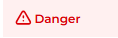
A red warning, on the other hand, indicates a critical issue that requires your immediate attention:
By clicking the notification, you can view the linked article with more information.
More about Moder notifications can be found in this support article: Moder Announcements
Beds24 channel management outage notifications
We use a system called Beds24 for channel management. You can find Beds24’s outage notifications through the following links:
System status: Beds24 system status
Beds24’s announcements also provide more detailed instructions on how to act during a possible outage.
External sales channel outage notifications
Outage notifications for external sales channels (commonly known as OTA channels such as Booking.com, Airbnb, Expedia...) are best found in your own extranet. Here are links to the most common ones:
The Downdetector website is also a useful tool for tracking outages: Downdetector
Moving bookings vs. external booking channel terms of use
Most external sales channels (commonly known as OTA channels) include in their terms of use a clause stating that reservations are expected to be honored exactly as the guest originally booked them.
For this reason, reservations only flow from the OTA channels through Beds24 into Moder, but not the other way around. Moder does send up-to-date availability information back to the channels, but if a reservation is moved from the originally booked room type/category to an entirely different one, the booking will still remain under the original room type in the sales channel.
Therefore, we don’t recommend transferring OTA reservations from one room type to another in Moder.
If you wish to upgrade a reservation, we recommend doing so directly through the external sales channel.
Booking.com’s auto-replenishment feature
Booking.com has a feature that automatically puts cancelled rooms back on sale without checking current availability. This is a default setting in Booking.com, designed to help increase occupancy rates.
You can read more about the auto-replenishment feature in this Booking.com article: Auto-Replenishment
Last available unit offered across all sales channels
This is a fairly rare situation where multiple users are trying to book at the same time, and only one unit of the room type is left. In such cases, the events overlap, and both bookings are processed in the order in which each guest completes their booking.
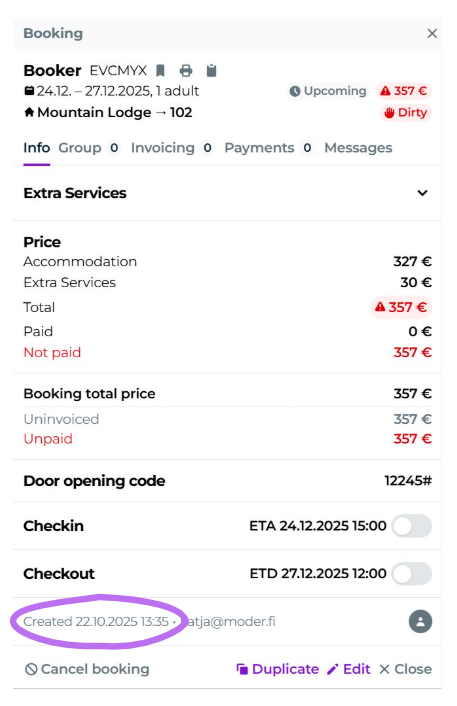
You can often recognize this situation when two reservations arrive within a few minutes of each other. The booking time can be seen in the booking preview at the bottom left corner, as shown below:
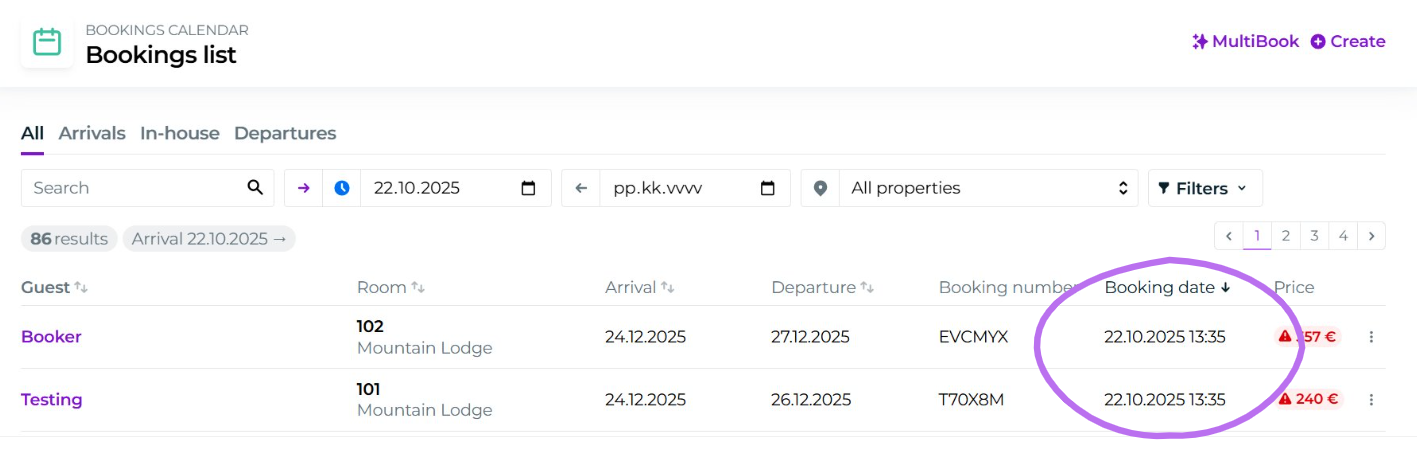
Or in the booking list, on the right-hand side. In this example, two bookings were received at exactly the same time:
Overbooking has already happened — what should I do?
In the travel industry, unintentional overbookings are unfortunate but not uncommon. Most guests are familiar with the situation — you might have even experienced it yourself when, for example, airline staff at the airport kindly ask if someone would be willing to switch to a later flight.
There are several ways to handle the situation. Here are a few tips from us, but always confirm your company’s specific procedures with your supervisor.
Room upgrade
If you have availability in another room category, the guest will likely be delighted by an upgrade. You can agree together that the guest will stay in a higher-level room than originally booked — you might even suggest a small extra charge for the upgrade.
If it’s an activity booking, you could offer the guest an alternative time slot, if there’s more availability in another departure.
Call a friend
If your property is completely full, it’s worth keeping good relations with nearby hotels or partners. Give them a quick call: “We’ve got an overbooking — do you have a room available?”
If a room is found at a neighboring property, you can later look back on the situation fondly — perhaps over a friendly coffee break.
Last resort: cancel the reservation
Sometimes, unfortunately, the only option is to cancel the booking. It’s a good idea to have procedures for force majeure situations clearly outlined in your booking terms and conditions in advance.
If your policies are clear and reservations are monitored actively so that you can contact the guest immediately when an overbooking occurs, these situations are often resolved smoothly — with a friendly phone call or a well-worded message.
Was this article helpful?
That’s Great!
Thank you for your feedback
Sorry! We couldn't be helpful
Thank you for your feedback
Feedback sent
We appreciate your effort and will try to fix the article