New in Moder: the daily KPI report offers a more detailed view of your business performance – easily track and analyze results on a daily level.
Your webshop also gets an international boost, as Danish is now available as a new language option!
Daily KPI report in a nutshell
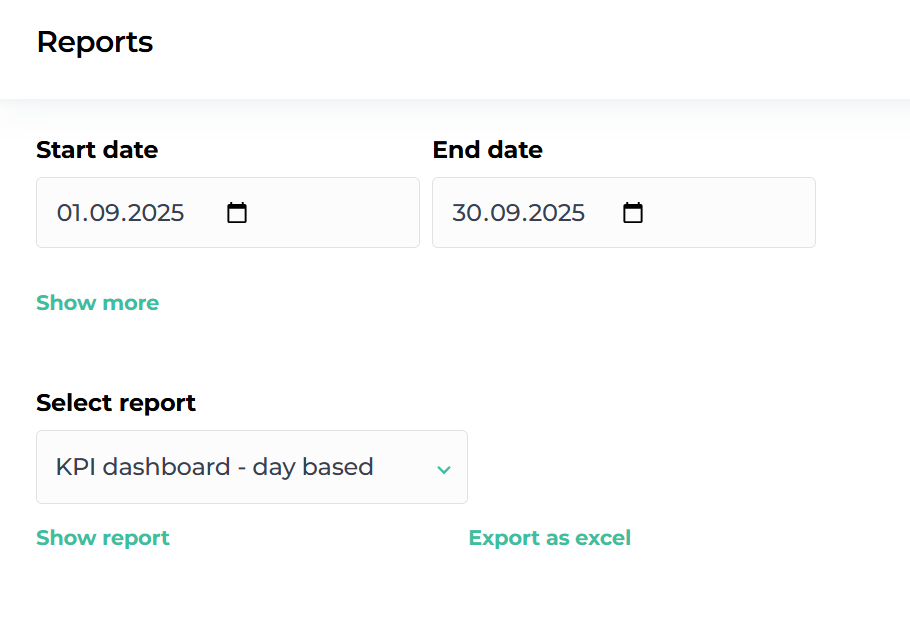
The new daily KPI report (Key Performance Indicator report) gives you access to the most important hospitality industry metrics, helping you monitor your company’s performance accurately and in real time:
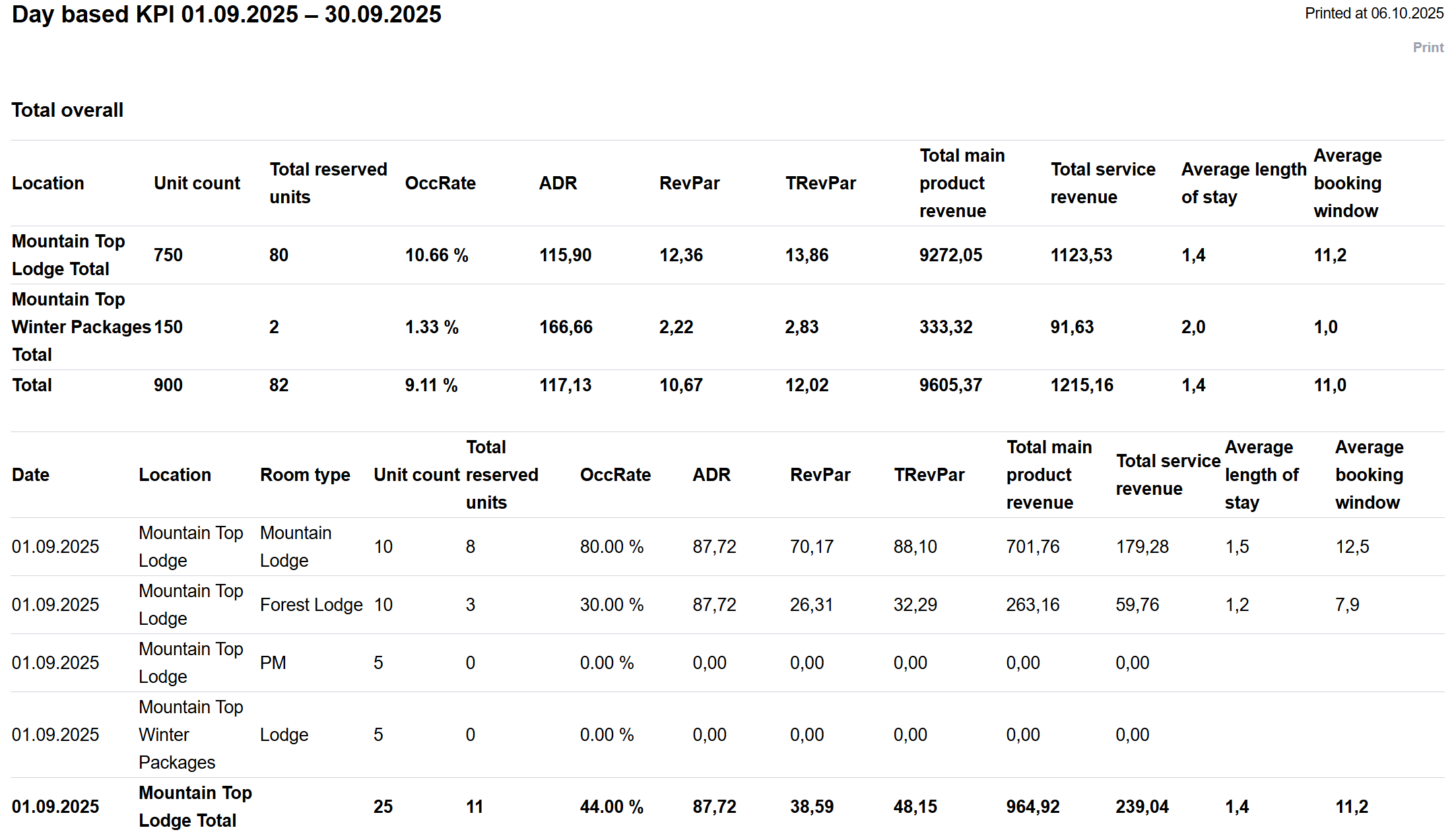
Occupancy rate – shows how much of your accommodation capacity is booked during a given period
ADR (Average Daily Rate) – the average room rate per sold room
RevPaR (Revenue per Available Room) – revenue per available room; combines occupancy rate and ADR
TRevPaR (Total Revenue per Available Room) – total revenue per available room, including extra services
Total main product revenue – total revenue from accommodation sales, excluding extra services.
In addition, the report includes complementary KPIs that help you better understand customer behavior and revenue structure:
Total service revenue – shows how much income comes from extra services that are booked together with the accommodation
Average length of stay – indicates the average number of nights guests stay
Average booking window – shows how many days before arrival bookings are made on average
How to get the most out of the new KPI report
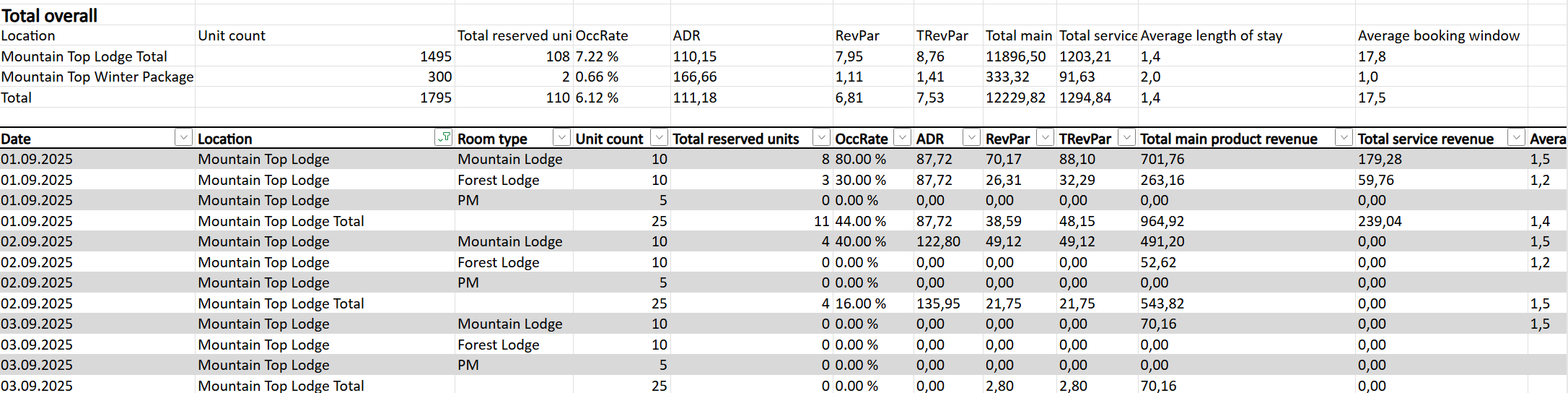
To make the most of the daily KPI report, export it to Excel, convert the data into a table, and use filters. This allows you to flexibly view data across different time periods, compare results, and identify trends that support smarter business decisions.
We’ll demonstrate how to edit the Excel file and use filters in in this short video– showing you just how easily you can uncover insights that matter most for your business.
Was this article helpful?
That’s Great!
Thank you for your feedback
Sorry! We couldn't be helpful
Thank you for your feedback
Feedback sent
We appreciate your effort and will try to fix the article