This article explains how Moder’s brokerage sales features work. The feature allows you to sell properties owned by partners or other owners through your own online shop, calculate commissions automatically in Moder, and offer owners and partners an “Owner view” where they can manage the availability of their properties and products.
An Excel sheet with Moder’s brokerage sales formulas is attached to this guide. You can download the sheet and run test calculations using your own examples.
TABLE OF CONTENTS
- Principle of operation
- How to activate brokerage sales features
- Adding a property owner and brokerage formula
- How commission from external channels is calculated in the report
- Adding a maintainer to a property
- Sales channel commission percentage
Principle of operation
With Moder’s brokerage sales feature, you can create separate logins for property owners and/or maintainers. You can then link these accounts to specific products (accommodation or activities).
At the end of this article, you’ll find downloadable guides for cottage owners and caretakers, which you can modify and send to your own property owners or caretakers. Currently, Moder’s brokerage sales support commission-based sales.
What’s the difference between brokerage and commission sales?
- In commission sales, the service provider acts in their own name but on behalf of the principal.
- This means the guest perceives they are buying or renting from the service provider — not from the property’s actual owner. For example, invoices are sent in the service provider’s name.
- In brokerage sales, services are offered in the principal’s name and on their behalf.
- In this case, the guest perceives they are buying directly from the owner, and invoices are also issued in the owner’s name.
- In this case, the guest perceives they are buying directly from the owner, and invoices are also issued in the owner’s name.
In the travel industry, this is typically commission sales - even though people often call it “brokerage sales” in everyday speech. While the business logic may be similar, the VAT treatment between these two models differs significantly.
How to activate brokerage sales features
You can enable Moder’s brokerage sales by sending a request to support@moder.fi
We’ll activate the feature and let you know once it’s ready to use!
Adding a property owner and brokerage formula
Go to Settings → "Users" and add a new user for the owner.
Select the role “Room/Unit owner”.

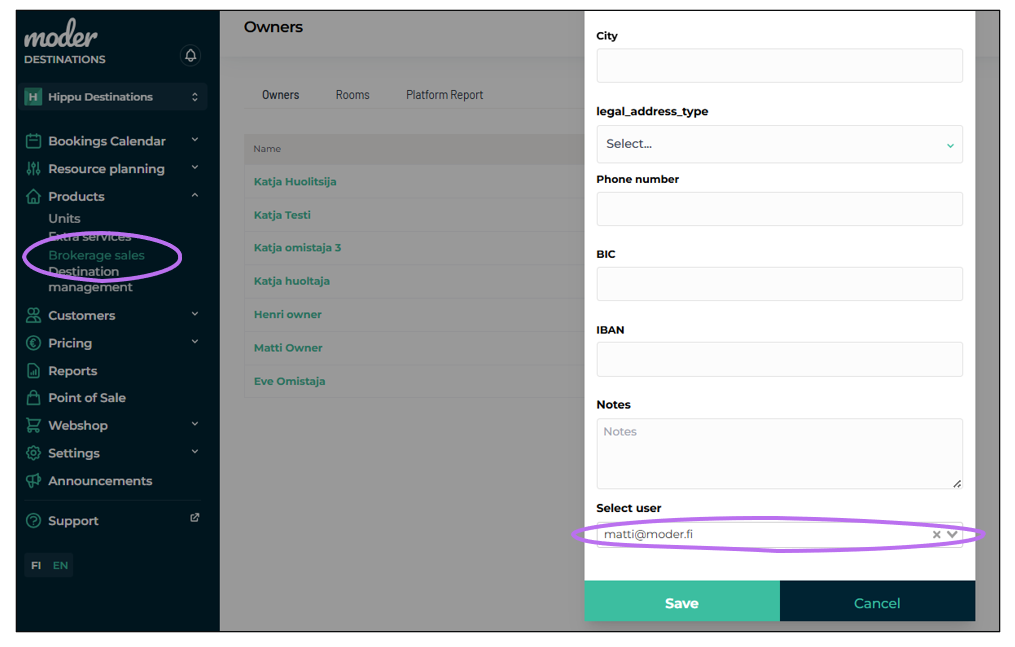
Go to Products → Brokerage sales, open the “Owners” tab.
Click “Create owner” (top right corner). Enter the owner’s name and contact info, and link their user account.
Tip: If you have many owners, type part of the owner’s email in the dropdown to find them faster.
Click Save.
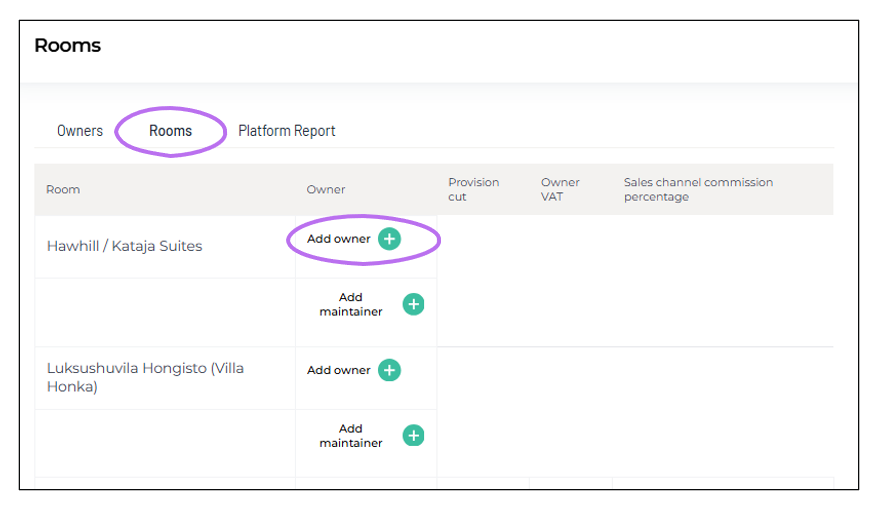
Go to the “Rooms” tab.
Link the owner to one or more properties by clicking “Add owner” next to the right property.
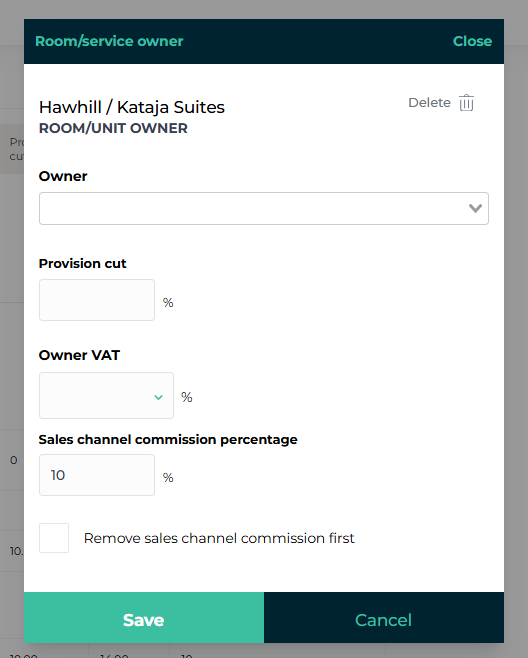
Select the owner, define the commission percentage and owner’s VAT rate.
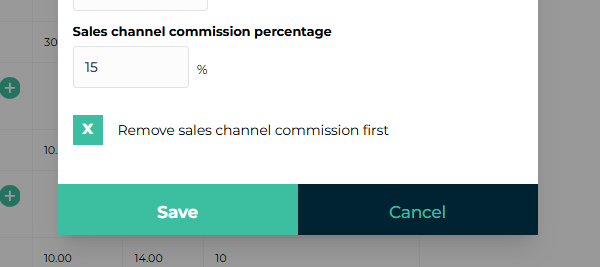
You can also edit the Sales Channel Commission Percentage (default 10%).
Click Save.
Optional: Add email notifications for new or cancelled bookings
Go to Products → Rooms → Edit
Add the owner’s email in the “Add notification email” column
Click the plus icon, then Save (top right)
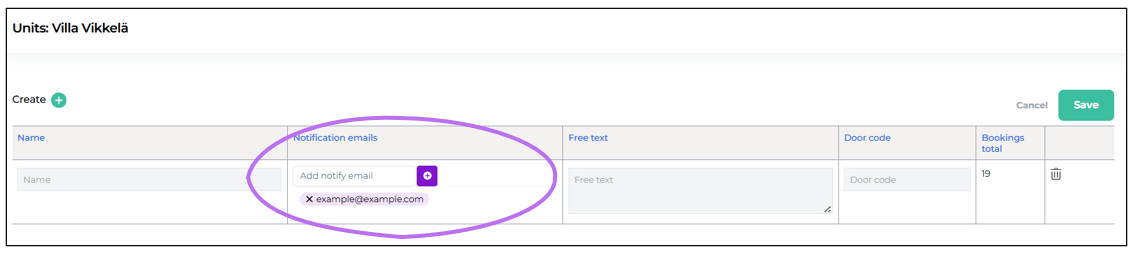
Note: You can add multiple notification emails (e.g. both owner and caretaker).
Notification emails include the property name, booking dates, number of guests, and any extra services ordered (even those included in the price).
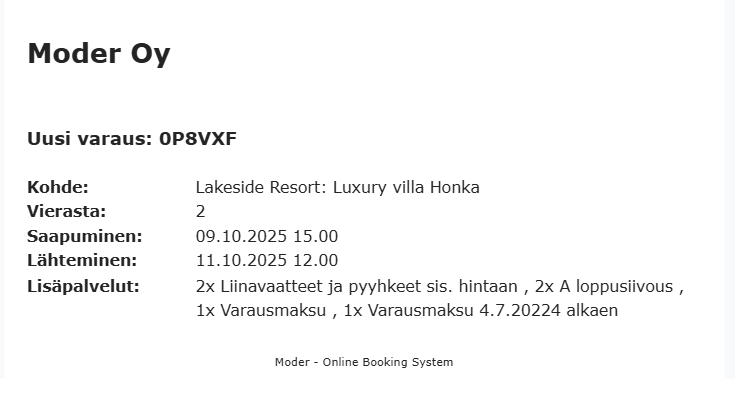
Note: The email doesn’t include guest names or contact details. Both owner and caretaker receive identical notifications.
How commission from external channels is calculated in the report
Let’s look at an example of how Moder calculates commissions for bookings made via external channels (like Booking.com or Airbnb).
The following setup is defined for “Matti Owner” in the Brokerage Sales module:
- Broker’s share: 30%
- Sales channel commission: 15%
- Owner’s VAT rate: 0

There is one booking for “Test Owner's Suite” during the report period, with a total price (paid by the guest) of 1500€. This booking came through an external sales channel.
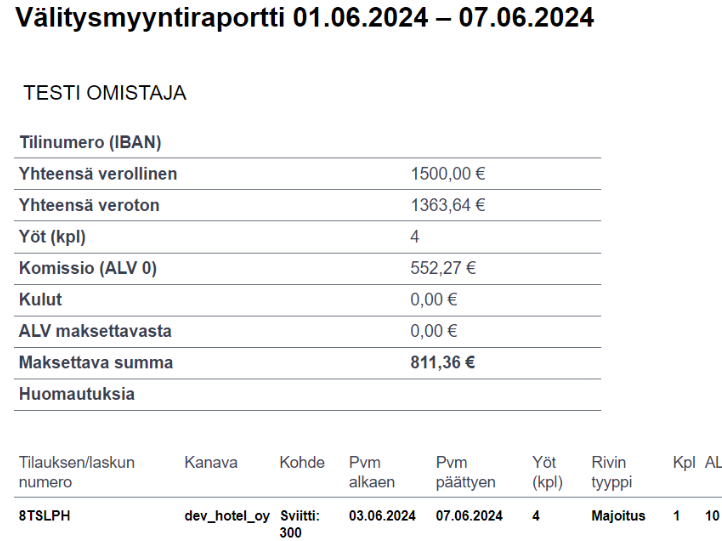
The report shows a total commission of €552.27. Here’s how it’s calculated:
- Commission on net accommodation price: €1363.64 × 0.30 = €409.09
- Subtract this commission: €1363.64 – €409.09 = €954.55
- Calculate sales channel fee: €954.55 × 0.15 = €143.18
- Total commission: €409.09 + €143.18 = €552.27
Adding a maintainer to a property
Add the maintainer under Settings → Users.
Maintainers usually have one of these roles:
- Cleaning/Maintenance – cannot see guest personal data
- Key Service – can see guest names and contact info
Then go to Products → Brokerage sales → Owners tab.
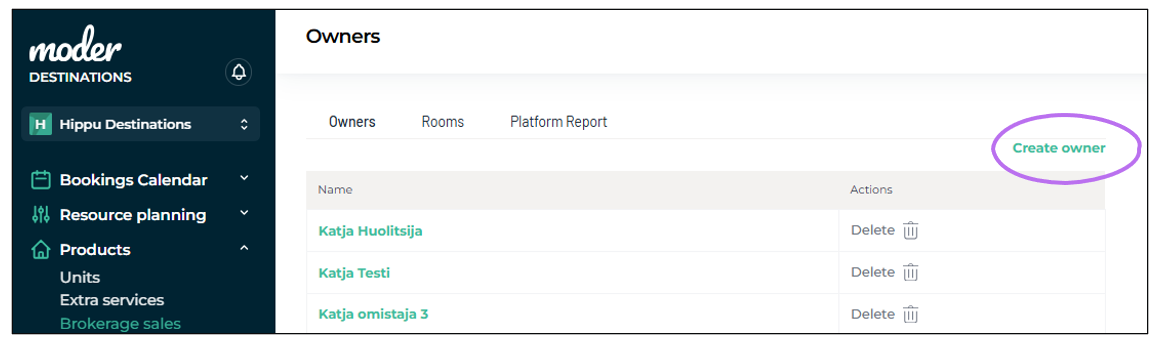
Click “Create New Owner” (yes, caretakers are managed here too!)
Enter their name and phone number, link their user account, and click Save.
Then open the “Rooms” tab in the same section.
Click "Add maintainer", choose the correct person from the dropdown, and click Save. NOTE: You don’t need to fill in VAT or commission fields.

Optional: Add notification emails for new or cancelled bookings using the same steps as above.
Sales channel commission percentage
The commission percentage for sales channels can be set manually in the "Rooms" section under brokerage sales by clicking on the owner and editing the value.
Was this article helpful?
That’s Great!
Thank you for your feedback
Sorry! We couldn't be helpful
Thank you for your feedback
Feedback sent
We appreciate your effort and will try to fix the article