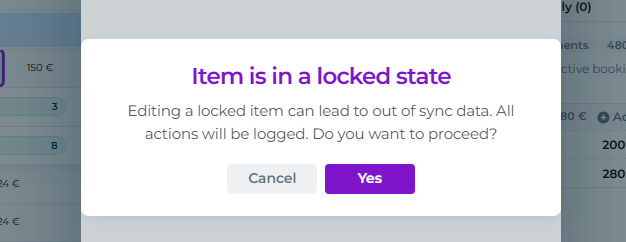
"Booking has locked dates" - Daily edit lock
Last updated: April 1, 2026
With the new daily booking editing feature, past bookings and products are now locked to keep reports clean and accurate.
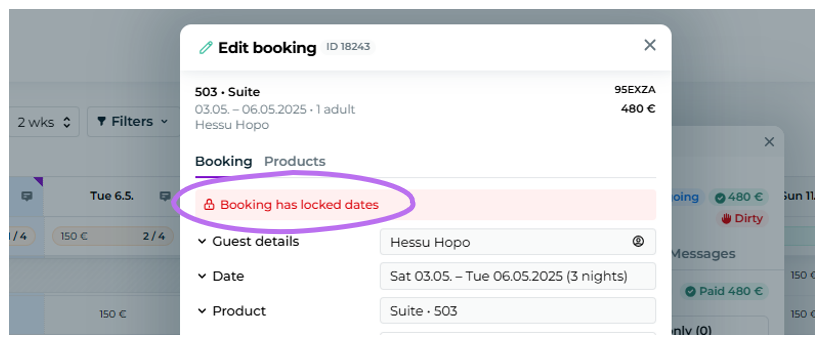
However, you can with admin and front desk credentials to edit past reservations, prices and products.
You can still edit past bookings, prices, and products using admin or front desk user roles.
To edit a past booking:
Open the desired booking and product.
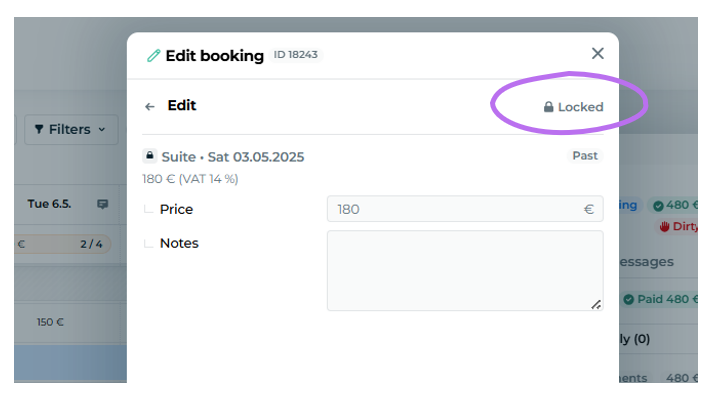
Click the "Locked" button to unlock the booking.
Moder will double-check if you really want to proceed.
You'll be able to edit the price and details once, after which the booking will lock again.
You can always reopen the booking by clicking the lock icon.