Virtual package
Last updated: February 17, 2026
The virtual product in Moder is available for purchase in the online store an accommodation or activity package, or an individual product that retrieves availability from another product.
It can, for example, combine accommodation, activities, and additional services into attractive packages. A virtual package could be, for example, a Christmas accommodation package, a yoga retreat, or an overnight adventure that retrieves availability from your room types and brings together multiple experiences under a single reservation.
With virtual packages, you can move from selling just rooms to offering comprehensive experiences, which improves customer experience and increases revenue.
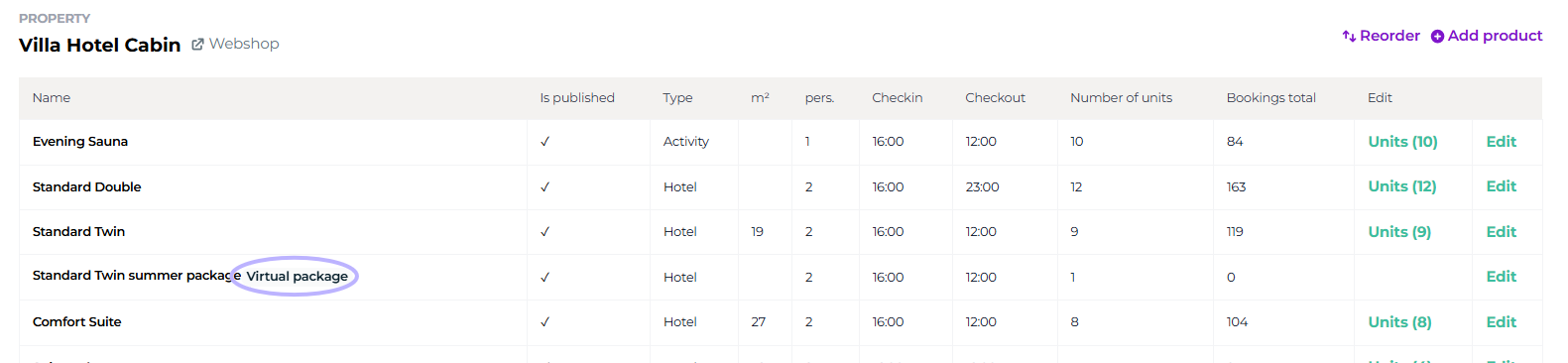
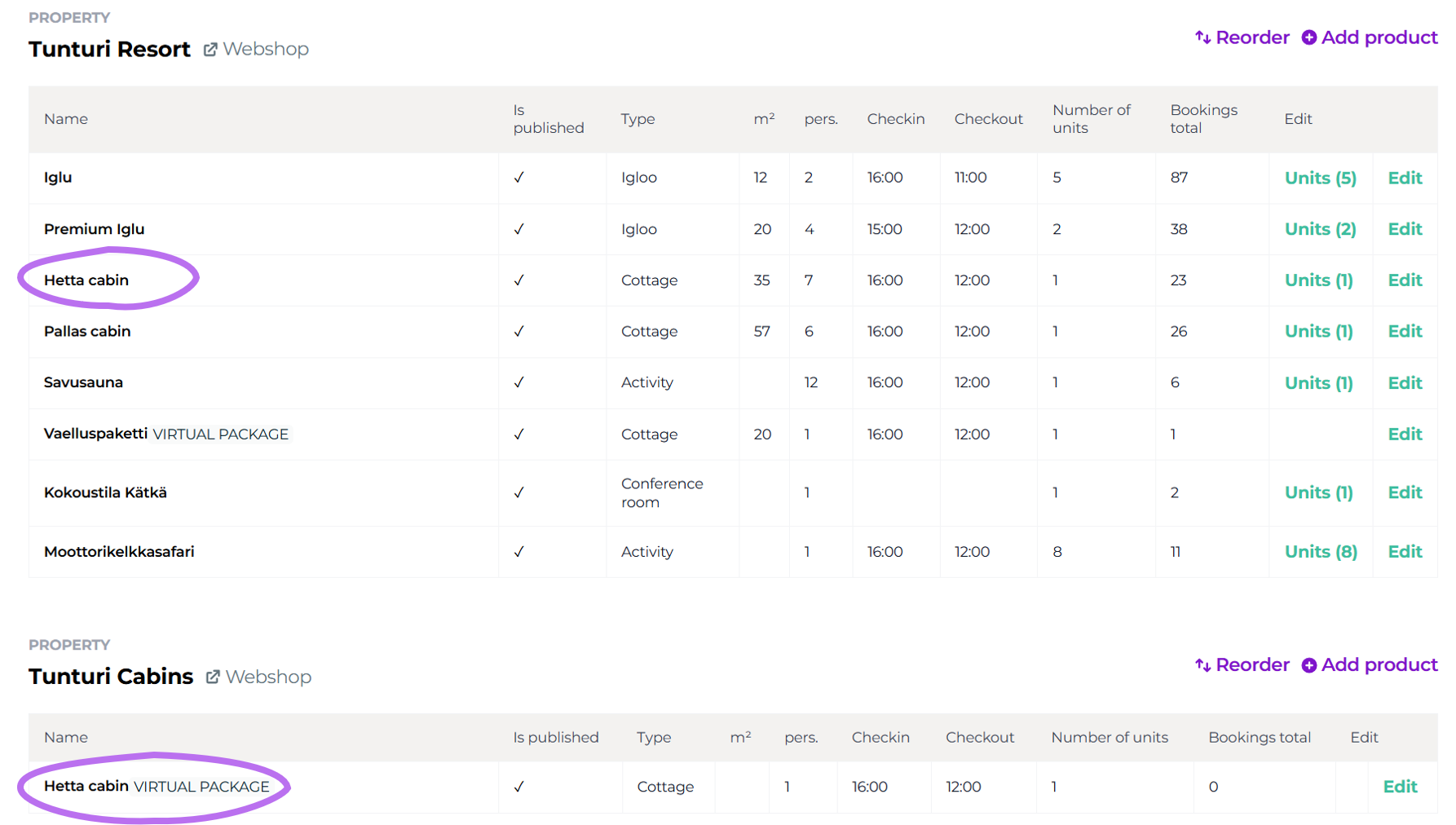
Furthermore, with a virtual location you can bring a product from your own outlet (=your webshop) to another outlet. For example, if you have created activities and accommodation in different online stores, but want to bring, say, some of the activities into the accommodation's online store for sale.
General information about virtual packages
A virtual package refers to a package that consists of accommodation or activity locations and their components, such as extra services. Such a package can be built, for example, from a yoga retreat, which includes accommodation, a retreat program, and other activities.
Virtual packages offer the possibility to sell the customer a complete experience through a single reservation, with availability drawn from the underlying room types or activities.
Virtual packages can also be utilized in various seasonal or event-specific bookings, such as accommodation packages for Midsummer, Christmas, or Easter. A virtual package combines accommodation and activities into a seamless whole that can be easily booked through the online store.
Use and Benefits of Virtual Packages
Virtual packages offer the opportunity to maximize sales and create unique experiences. Thanks to package pricing, you can set prices per person, which enables more precise segmentation and targeted marketing. With virtual packages, you can increase your revenue by 15–100% compared to selling lodging alone.
Virtual package foundation and construction
Creating a virtual package is done exactly the same way as creating an accommodation and activity product. A virtual package in Moder is simply an accommodation package that fetches availability from the correct room type.
A virtual package is assigned its own price, additional services, as well as its own description and images.
Difference from a regular product
The only difference from a regular accommodation or activity product is that when creating a virtual package, you tick the "virtual destination" option and choose which products' availability to fetch. Afterwards, the additional services included in the price are added, making the package an attractive whole for the customer.
Creating a Virtual Package
The instructions below apply to both accommodation and activity packages.
Start by creating a new product in Moder under the desired property:

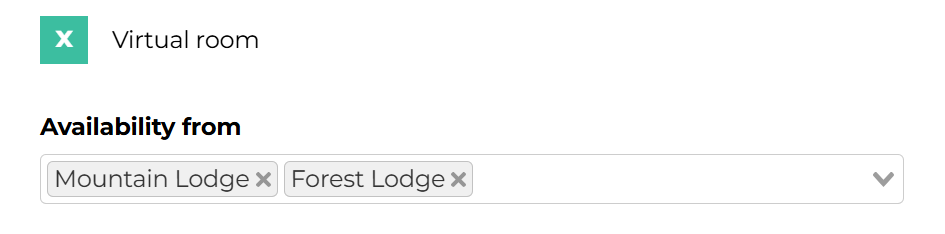
Activate Virtual room settings and select the room types, from which availability is fetched. Availability is fetched from the items menu (e.g., Standard, Deluxe, Suite). The customer does not see the exact room type, but the reservation is determined by the number of available rooms.
Filling in basic information
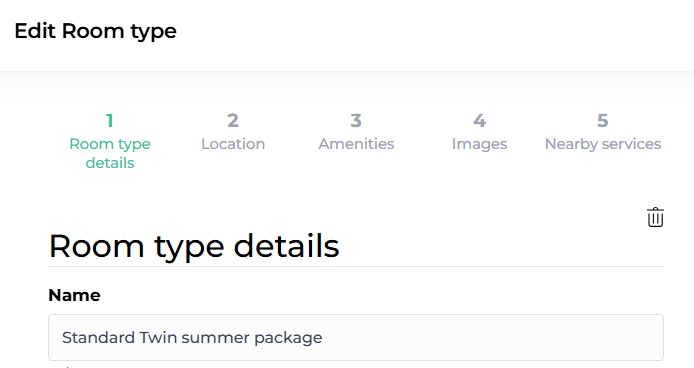
Fill in the other basic details of the item in the usual way and pay special attention to the description and images. This information helps make the package attractive.
Adding package components
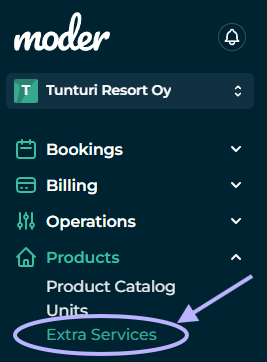
Package components, such as extra services, are created in Moder and linked to the virtual package:
Creating additional services
Create the necessary additional services and activate the Published setting in Moder's online store. Assign an internal price to the additional service if its portion must be separated on the receipt and reports from the total package price, for example due to different VAT rates. Then select the pricing method for the additional service as "Included in the accommodation price". Such an additional service could be, for example, breakfast or an alcoholic product that has a different VAT rate than the accommodation.
Combining additional services into a package
Select the virtual package you created for additional services, such as the Midsummer accommodation package, and remember to save the settings. You can add multiple services to the package, such as dinners, sauna sessions, or other activities.
Pricing strategies for virtual destinations and their benefits
Pricing of virtual packages is an effective way to improve business profitability and customer experience. Well-designed pricing attracts customers, optimizes sales, and provides significant added value for all parties. Now that you know how to price virtual packages efficiently, you can create attractive packages that showcase the best aspects of the experiences you offer!
Benefits of virtual package pricing
1. Maximizing revenue
Dynamic pricing and targeted campaigns help optimize revenue at different times, allowing pricing to be adjusted according to demand.
2. Better customer experience
Virtual packages provide customers with clear and easy-to-understand pricing that includes everything needed in one reservation. This reduces extra planning for the customer and improves the booking experience.
3. Competitive advantage in the market
Versatile pricing enables the offering of competitive packages that stand out in the market. With pricing, you can highlight the package's added value, such as included services that are not offered by others.
4. More Predictable Sales
Special pricing allows availability to be adjusted precisely to specific times, enabling better resource management and forecasting, for example regarding food catering and activities.
5. Upselling and Services
When additional services are priced as part of a virtual package, customers can easily book extra services, such as massages or activities, which increases upselling opportunities.
Pricing strategies
6. Dynamic pricing by season
In pricing virtual packages you can take advantage of seasonal differences and peak periods. You can price higher for the most in-demand times, such as holidays or vacation seasons, and offer discounted rates for quieter times. This strategy maximizes revenue during peak seasons and balances demand during off-peak periods.
7. Value-based pricing
Price your package based on the value you offer. If the package includes exclusive services, such as private activities or luxury accommodation, you can justify a higher price to customers. Highlight the added value that customers receive, such as "includes a private sauna session and a gourmet dinner," making the package stand out.
8. Campaign pricing and special offers
Utilize campaigns and special offers, such as “Book three nights, pay for two” or “Free activity with accommodation.” Campaigns attract customers to make quick purchase decisions and encourage them to book specific dates or services.
9. Additional Person Pricing
Set an extra price for additional persons, which provides flexibility for larger groups and families. This pricing method makes the package attractive to a broader customer base and increases sales, as larger groups can easily add participants.
10. Limited Availability and VIP Pricing
Create exclusivity by pricing the virtual package as a VIP product for a limited number of customers. Limited availability and premium pricing can attract customers who seek unique and personalized experiences, and are willing to pay more to receive special treatment.
Virtual package pricing
The pricing of the virtual package is done in the same way as the pricing of other products in Moder, but it includes strategic advantages that can enhance the customer experience and significantly increase revenue.
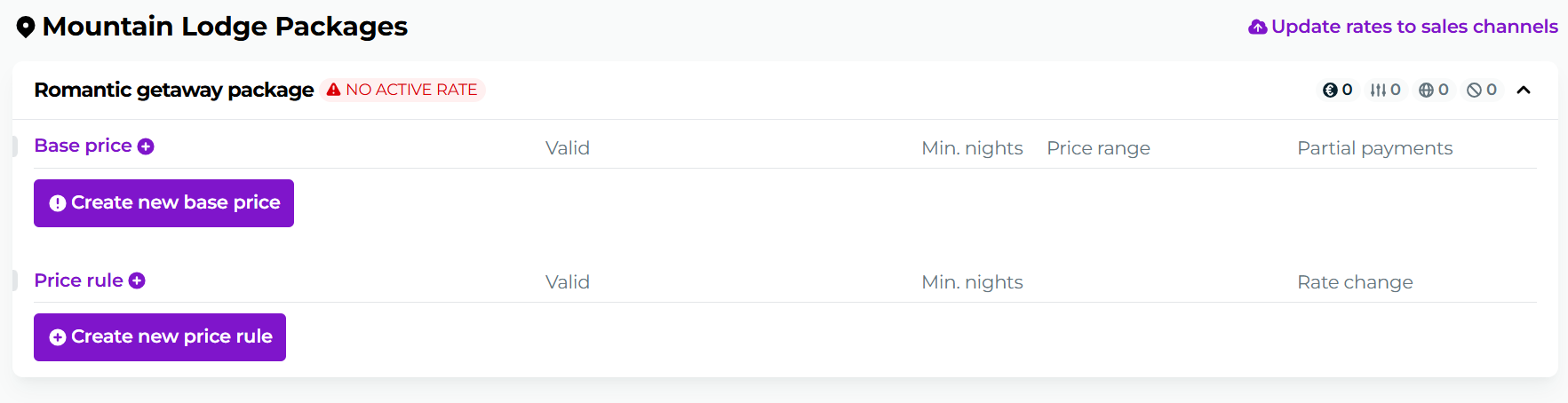
Pricing of the virtual package can create attractive offers that combine accommodation and activities into a single package, which makes it easier for customers to decide and encourages them to book.
Setting the Base Price
Create the package in the usual way Base Price and set the prices, additional persons, and validity period.
For example, a Midsummer accommodation package can be priced at 200-250 €/night for two people, and valid only for the Midsummer period. This allows you to target pricing to a specific time when demand is highest.
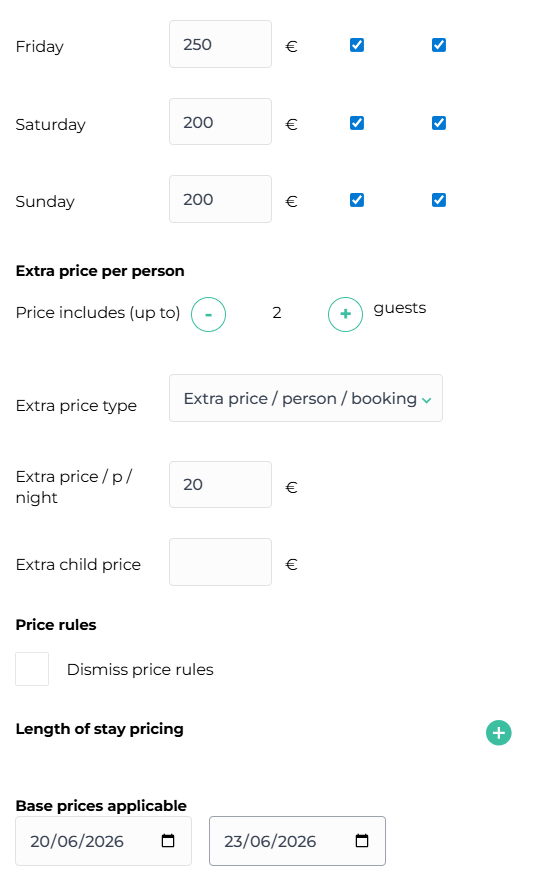
Please note that you are now pricing the entire package - i.e., not just accommodation or activity, but the whole accommodation package price for your client, including all products and services that belong to the accommodation package.
Selling products at virtual locations to different branches
We often receive questions about how we could get the same product into sales across two different locations, and it can be done conveniently with a virtual target.
Below is an example image showing how you can get the same item into sales on two different online stores:
Booking a virtual package from the online store
When the package is created and priced, it appears in the online store as available for customers to book. Availability is limited to the specified days, and customers see all the additional services included in the package during the booking stage.
Images and attractive content enhance the customer's booking experience.
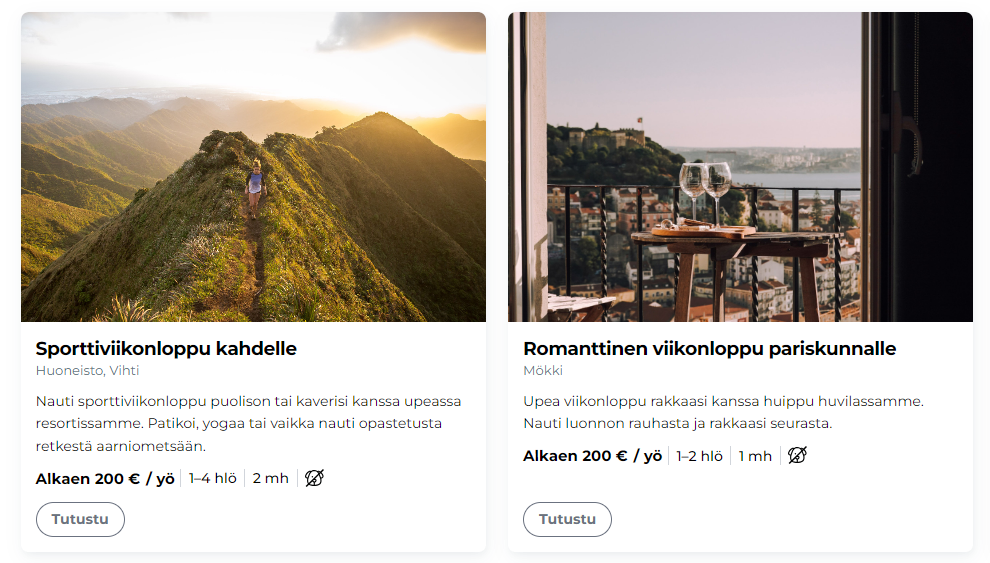
Note! As we mentioned earlier in this article – your customer does not know which room or type of room they will get if you have not specifically written it into your virtual destination description. Availability is fetched from the destinations you have placed into your virtual destination availability section, and this information is not visible to the traveler.
Exceptions and notes
The virtual package is an excellent tool for creating travel packages. However, there are a few things you should know about virtual packages:
Reports
The virtual package appears in reports according to the destinations for which you have created the virtual package – i.e., those for which the package checks availability.
Reservation Confirmation
The customer also sees in the reservation confirmation the base product set for the virtual destination, i.e., the accommodation that was available, as well as the name of their travel package.
Customer Messages
Customer messages also rely on the base product you set, i.e., the one on which you have created the virtual package and from which the virtual destination checks availability.
External sales channels
Virtual packages cannot be assigned to external sales channels.
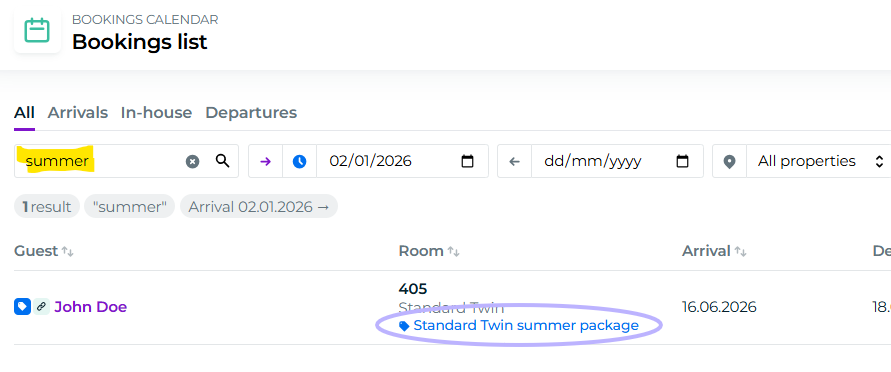
Filtering virtual packages on the reservation list
Virtual packages can also be searched by package name on the reservation list:
Examples of virtual packages
Accommodation offers: Discount promotions, trade fair offers
Seasonal accommodation packages: Midsummer, Christmas, Easter, New Year
Events: Yoga retreats, sports holidays, trips
Meeting packages: Overnight meetings, remote work packages
Wellbeing: Massage and wellbeing packages
Virtual packages not only increase sales but also improve operational efficiency. When most customers book pre-defined packages, you can plan operations and activities in advance, which makes customer service smoother and enhances the guest experience.