"Unresolved issues" on reservation
Last updated: December 5, 2025
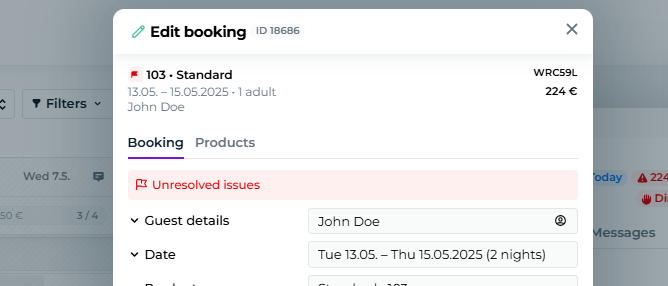
When editing a reservation, you may receive the following text "Unresolved issues."
This means that you have edited your reservation such that for some days there are extra services remaining that no longer fall within the accommodation or product period.
To get rid of the unresolved issues, you need to edit the reservation's products, so that they match the dates of your reservation:
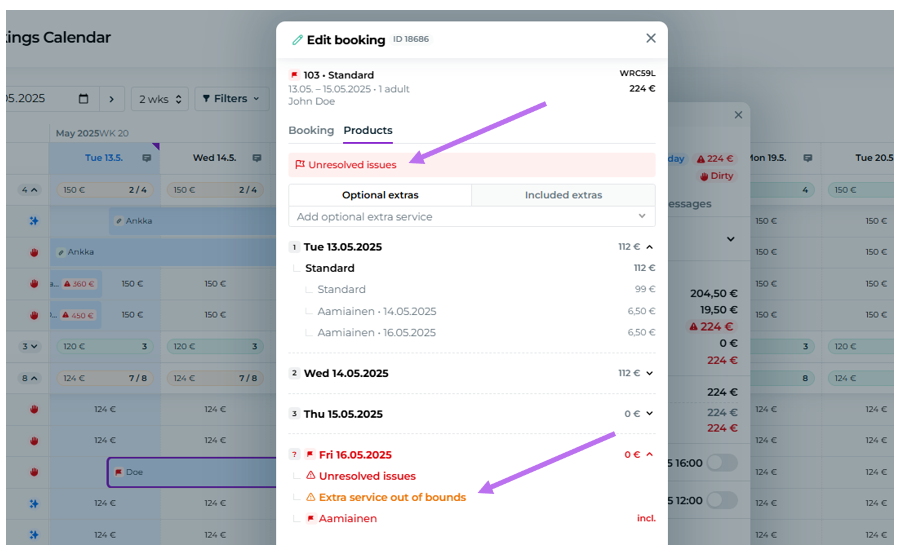
The unresolved issues can be found under the Products tab, and the date with issues is highlighted in red and orange in your reservation - as in our example Fri 16.05.2025:
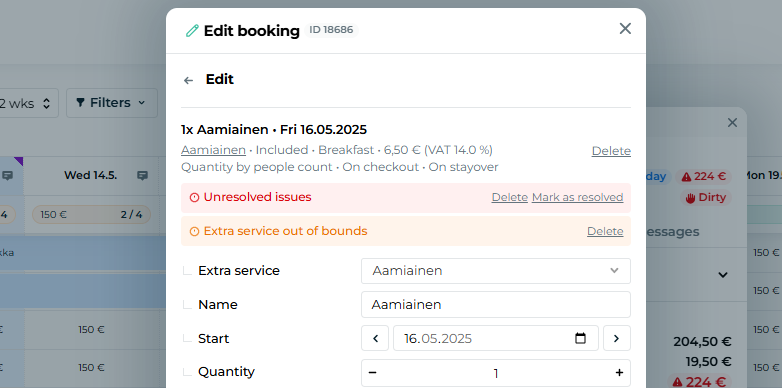
To fix an unresolved issue, click into the extra service marked in red.
Make the necessary changes - either move the service to another date by editing the date (e.g. via the "Start" button), or remove the service entirely using the "Delete" button:
Remember to save your changes by clicking "Apply" and "Save" buttons at the bottom of the view:
