22.4.2026: New in Moder – Product archiving
Last updated: April 22, 2026
We’ve released a highly requested feature: product archiving. You can now manage your product selection more clearly and keep your views clean. This applies to all product types: accommodations, activities, and extra services.
How does archiving work?
With admin user credentials, you can easily archive products via Products → Product catalog, and extra services via Products → Extra services.
Once archived, the product is automatically removed from webshop sales as well as from main management views such as the Bookings Calendar, Cleaning List, and Extras calendar. You can restore a product back to active just as easily as you archived it.
Good to know
Archiving does not remove the product from OTA channels. If the product has an active OTA connection, please contact our support before archiving so we can ensure it is removed from OTA sales
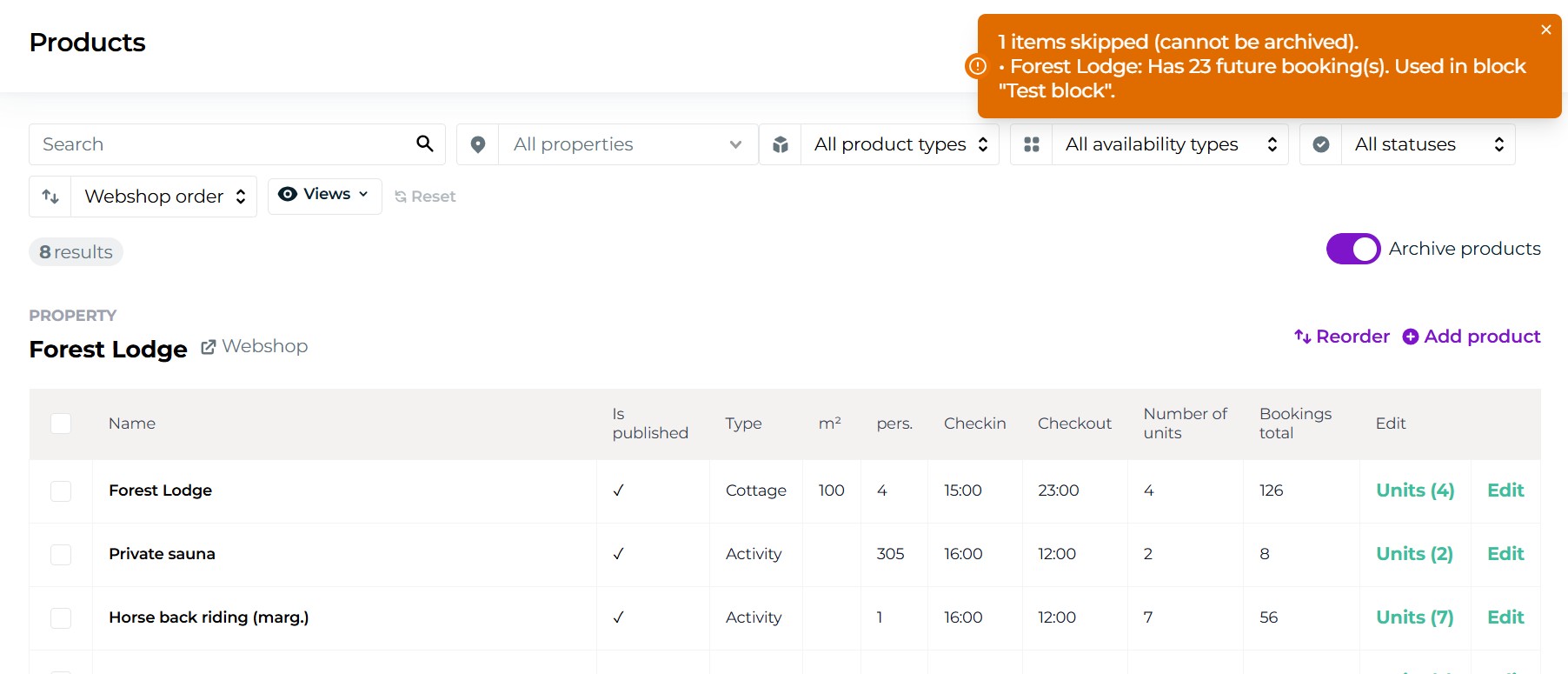
A product cannot be archived if:
it has future bookings
it is used in blocks
it is used in Experience Designer package template
it is used in cross-selling
Moder will guide you during the archiving process and inform you what actions are required before archiving can be completed.
You can read more about product archiving from this support article.