Extra services
Last updated: April 22, 2026
Extra services are, as the name suggests, services or products, which you can sell as an addition to a booking,
Extra services can be sold in webshop, in backoffice by adding them to the bookings, or Moder POS.
Management of Extra services
In this view you can manage extra services that you want to offer travelers to book together with accommodation or activities, and also display in the online store those additional services that are already included in the price – typically, for example, breakfast or bed linen are such services included in the accommodation price.
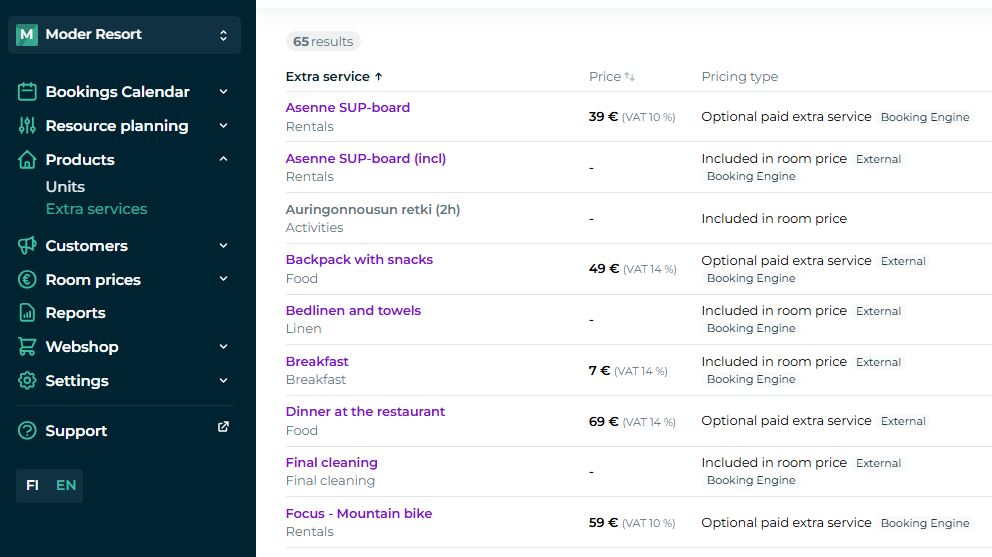
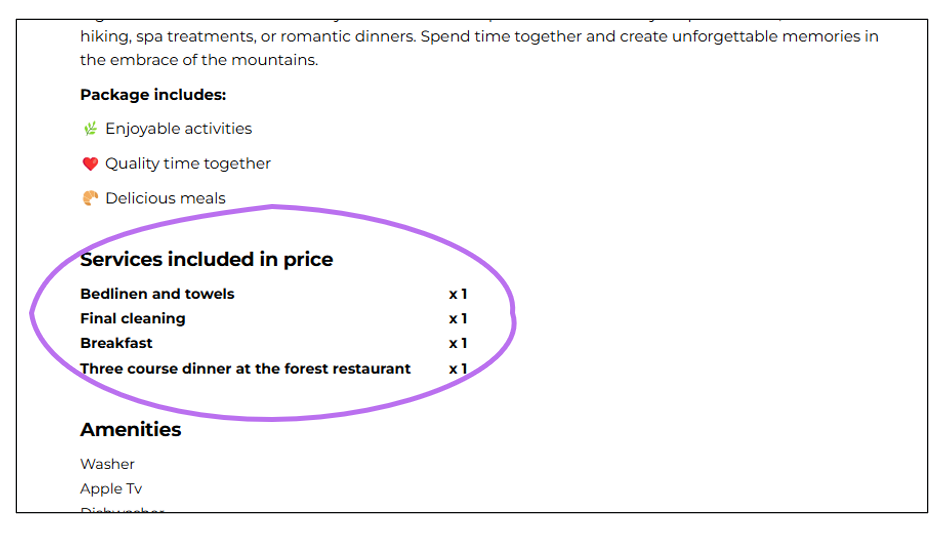
Extra services on the webshop
Extra services appear in the online store when the traveler has first selected the desired accommodation/activity. The extra services included in the price are shown immediately while viewing the accommodation and later when the booking proceeds to the payment stage.
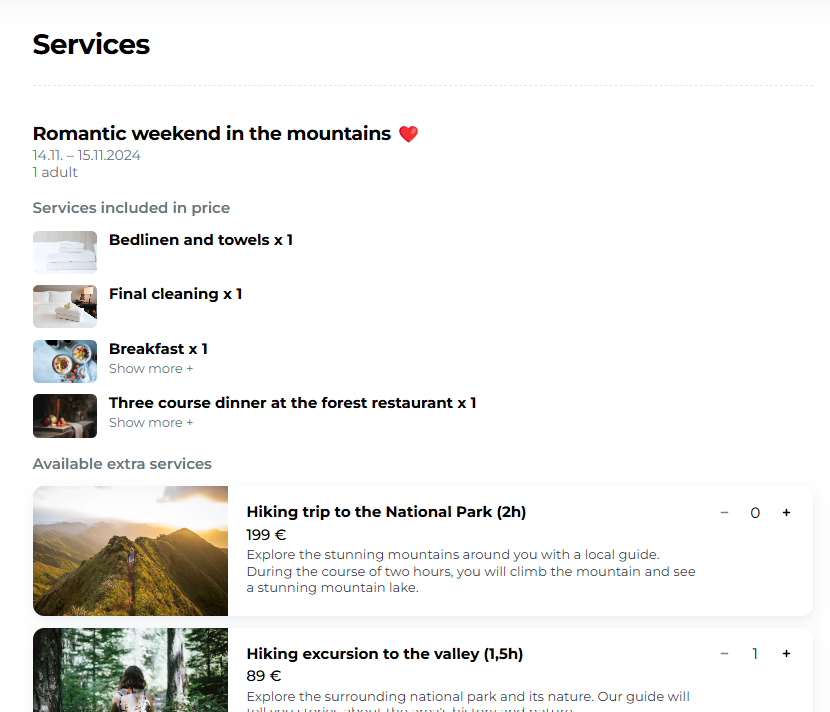
Extra services that can be booked for an extra fee appear when the traveler moves forward to finalize the booking:
Creating an extra service
Click the top right corner "Create new" button to add a new extra service.
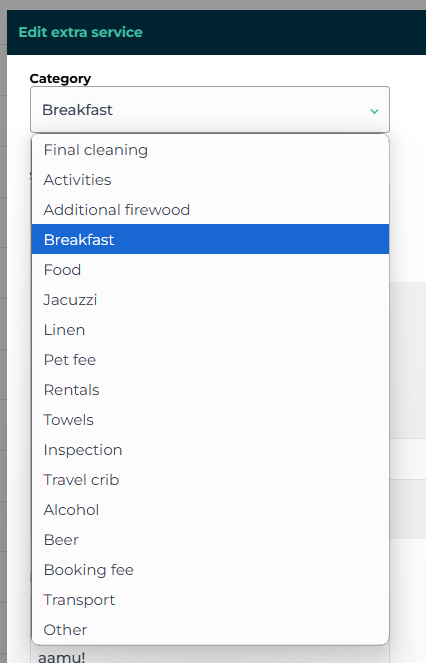
Moder has pre-added certain extra service categories, but you can also choose the category "Other" if your extra service does not fall under any predefined category. This category is visible only to you and is not visible to your customer.
You can name the extra service however you like and add translations for different languages. You can also provide a more detailed description for the extra service if you wish.
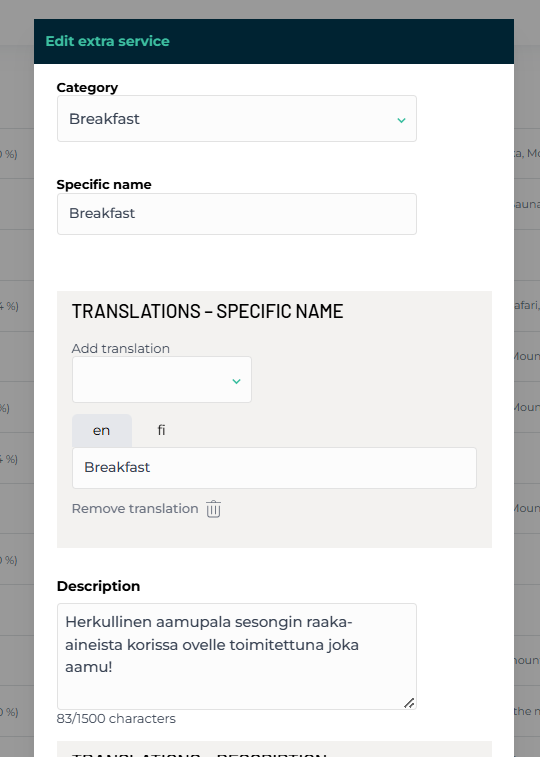
Add a checkmark to "Moder Booking Engine" so that the extra service becomes available for travelers to purchase in your web store. Also check the items that are included in the accommodation price!
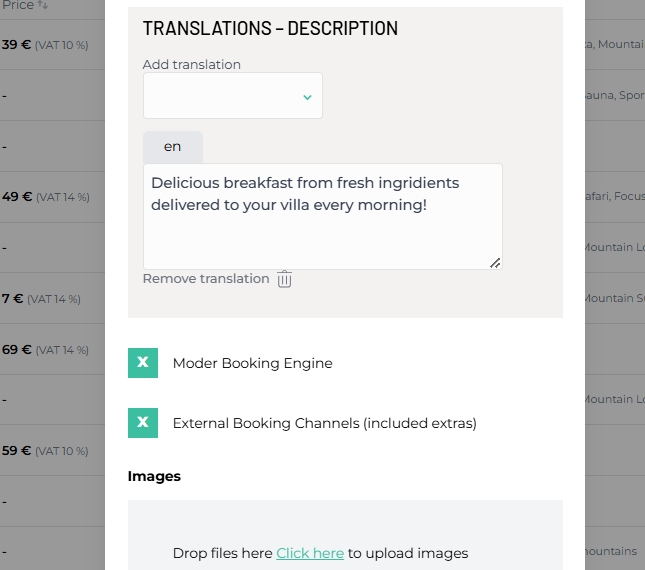
You can also add an image to your extra services. The image will be visible to travelers in your webshop – whether it is an extra service included in the price or one purchased separately. The image makes your online store instantly more attractive-looking and increases the appeal of extra services = more money in the cash register 💵
Extra service included in the price
If you choose that the extra service is included in the accommodation price, you can also select whether Moder automatically calculates the amount of extra services the number of guests included (for example bedding) or accommodation days included (for example parking space). You can also select both options, whereby the extra service is calculated for both days and occupants' number accordingly - for example now in our example the price includes a breakfast.
In the example picture, the breakfast settings.
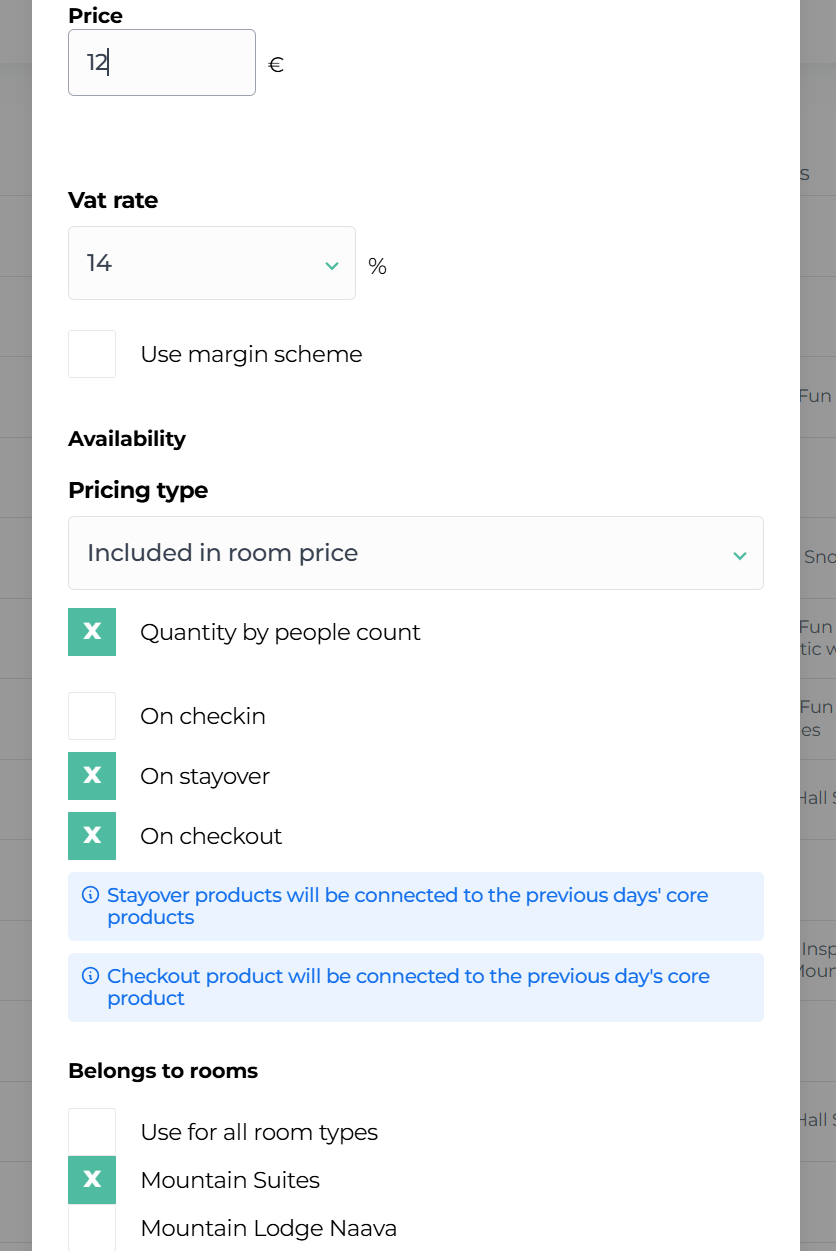
You can also target the Included extra service to a specific accommodation day:
Arrival day
Stayover days (stayover)
Departure day
And ready! You can, if you wish, take a look at how the extra service you set up looks in the webshop.
Extra service for extra cost
Here we proceed exactly the same way as above, except for the pricing method. Then we select the extra price and choose the maximum quantity for the product as well as the destinations where we want to include the extra service in the online store.
Additionally, you can specify whether the extra service is added to the Arrival Day or the Departure Day.
Examples
Final cleaning is, for example, logically set for the departure date.
Early checkin logically for the arrival date
Easy, right?
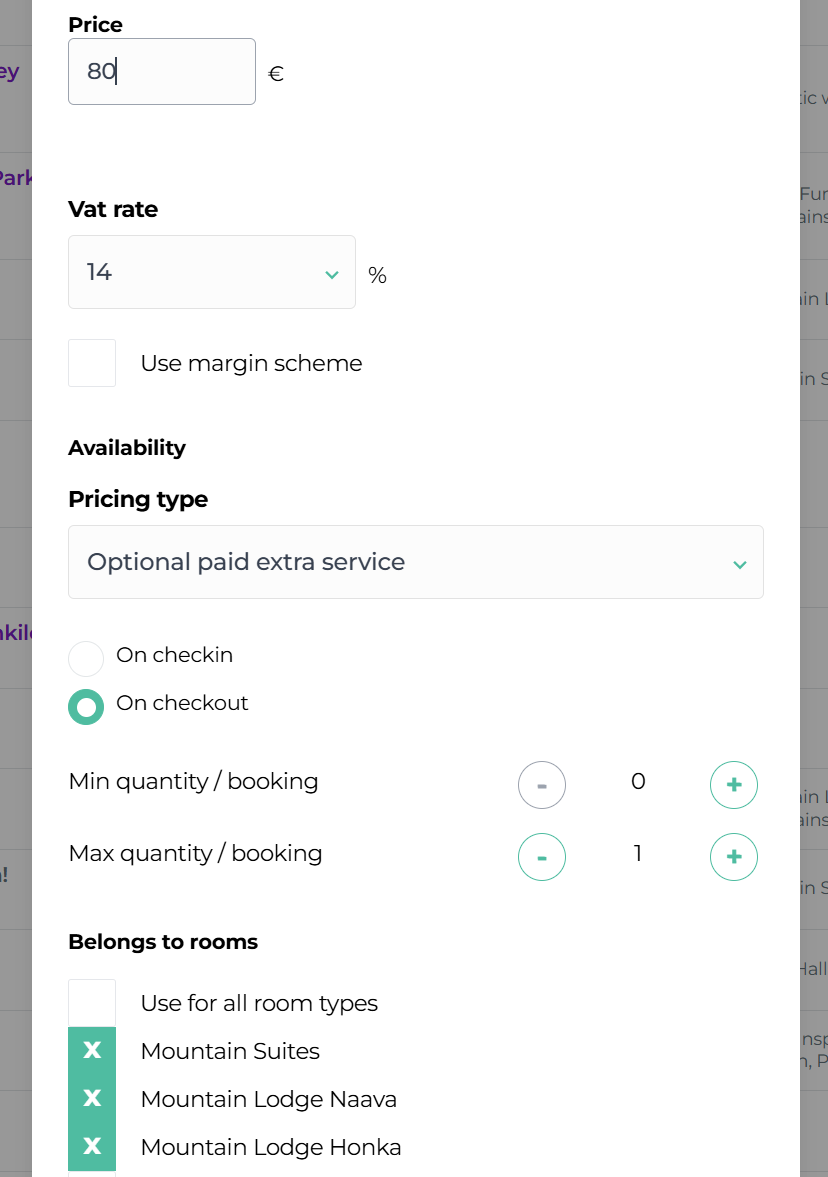
You can specify in the "Belongs to products" section which extra services the given extra service applies to. So you can set, for example, Breakfast to be included in all your accommodation optiona or a SUP board to be included in the price of your most luxurious lakeside suite, but not in other accommodation products.
Extra service pricing
You can choose whether you want the extra service to be included in the price of your accommodation location, or alternatively, whether you want to sell extra services for an extra fee. You can also set the additional service at a zero price for marketing purposes. Below are the examples!
Good to know about pricing:
If an extra service is included in the accommodation price, you do not necessarily need to give it a price at all. Exceptions are those extra services that have a different VAT rate. A price must be set for those.
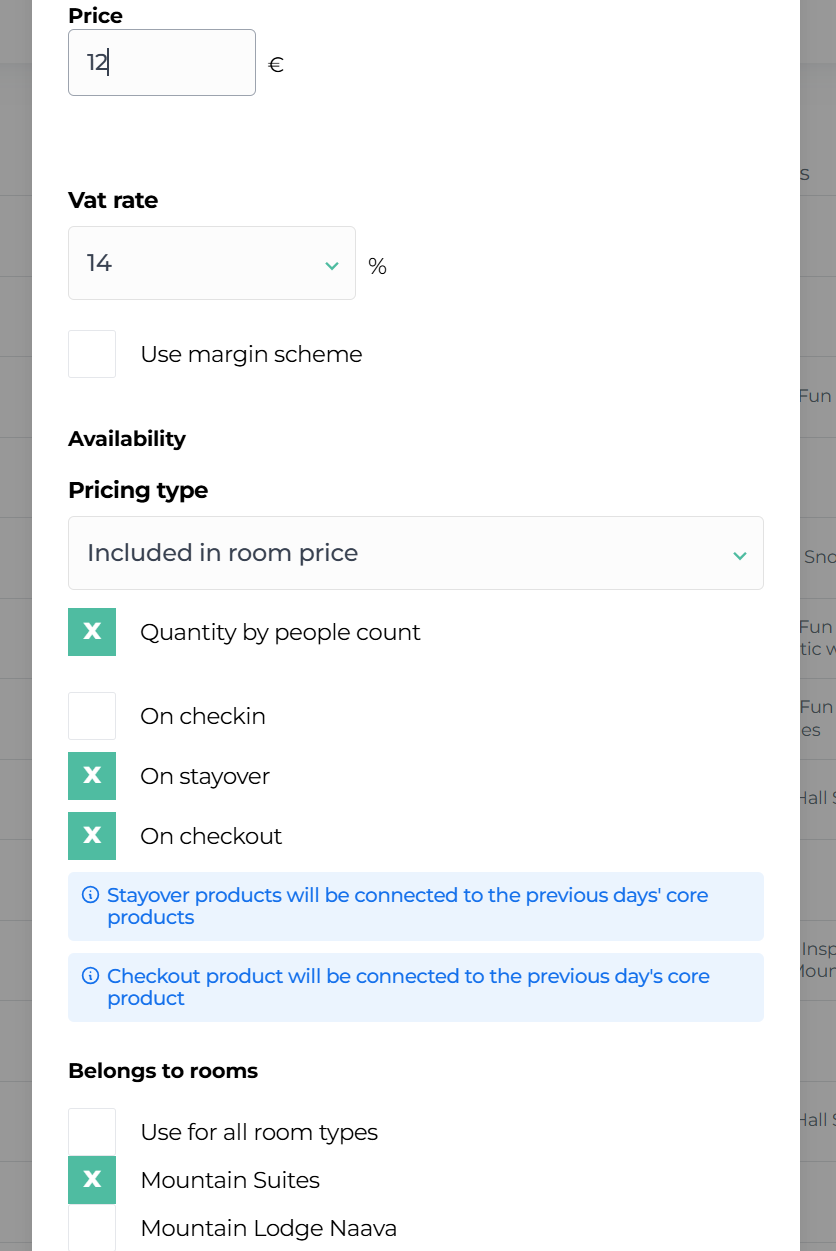
Example 1: Extra service included in the accommodation price – breakfast
In this example the additional service, breakfast, is included in the accommodation price. The share of the breakfast in the total nightly price (€100) is €12 and the accommodation share is then €88. The product is allocated to the stayovers as well as the departure day according to the nature of the breakfast.
Example 2: Extra service - final cleaning (not included in accommodation price)
Paid extra service: In this example the extra service, final cleaning, is not included in the accommodation price, but the traveler can select it as an optional extra service from the online shop when booking the accommodation.
Maximum quantity: The maximum quantity for the extra service is set to 1, which means that the traveler can purchase one unit of this extra service from the online shop.
On the departure day: Additional service set for the departure day, when final cleaning is carried out.
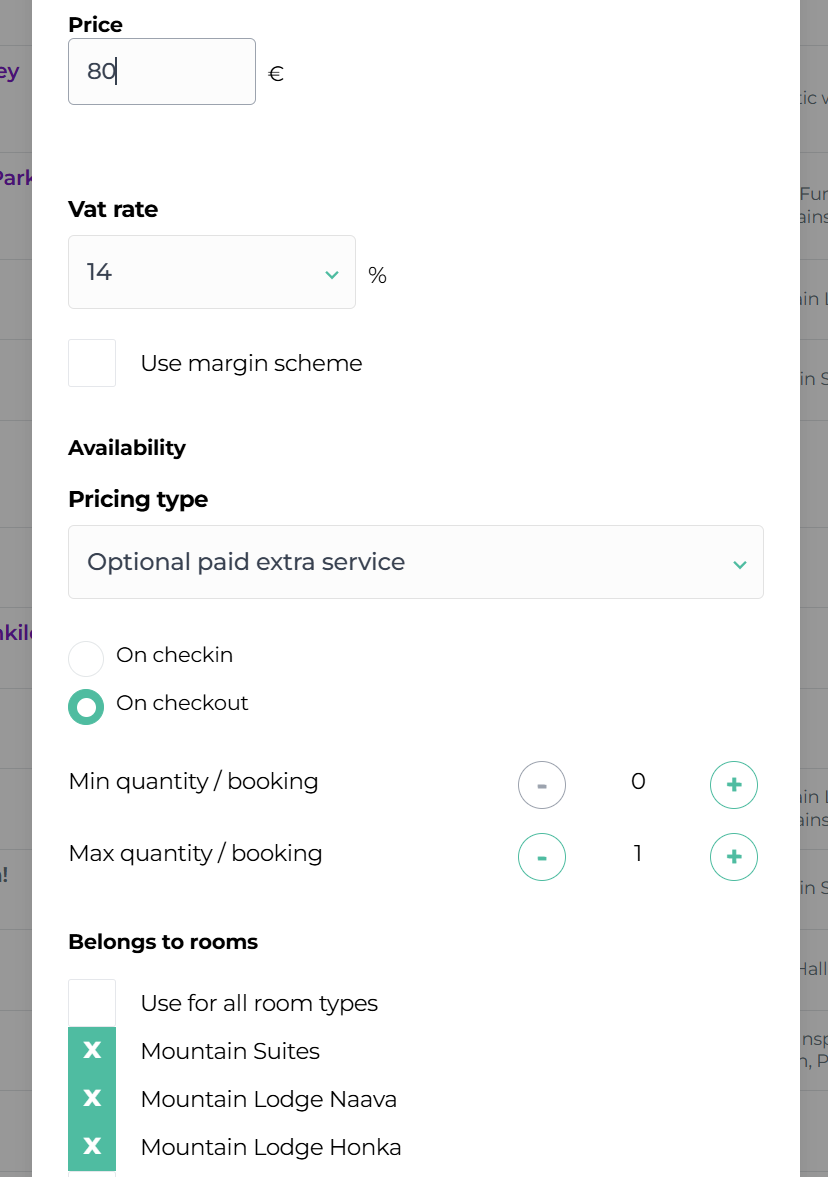
NOTE! If the minimum quantity were also set to 1, the online shop would force the traveler to select this extra service as a mandatory paid extra for accommodation. Please note that this is not permitted. Using a mandatory extra service is allowed only if the price of that additional service is 0 euros.
Example 3: Extra service is wanted visible, but not bookable in the webshop
In this example, the sauna is to be advertised to travelers during the accommodation booking, but the sauna space is not to be bookable through the webshop – the minimum and maximum amounts have been set to zero.
More detailed reservation instructions for the sauna space have been placed in the extra service description field.
Editing the order
You can edit the order of extra services in the online store to the order you want by clicking the gear button.

You can drag services and products into the order you want or revert to the default setting. You don't need to press the save button; the order will change instantly in your online store.
Archiving and deleting extra services
In Moder, the extra service can either be archived, or remove completely.
Archiving is a convenient way to remove a product from view and from sale, without having to completely delete the product.
In order for the item to be completely removed from Moder, the extra service must first be removed from all bookings where it is attached, both past and future.
Let's go through both methods!
Archiving an extra service
Here's how it works:
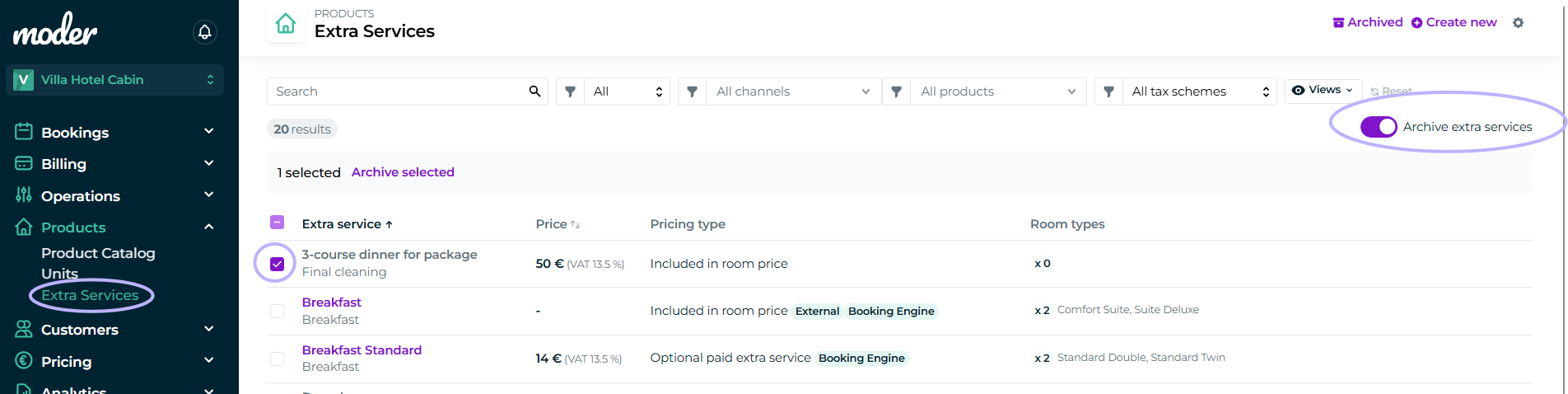
Go to Products - Extra services
Click Archive extra services on
Check the box for the additional service you want to archive
Click Archive selected
Unarchive
You can also return an already archived extra service back to sale, calendar and lists. First, go to the Archived section from the extra services:
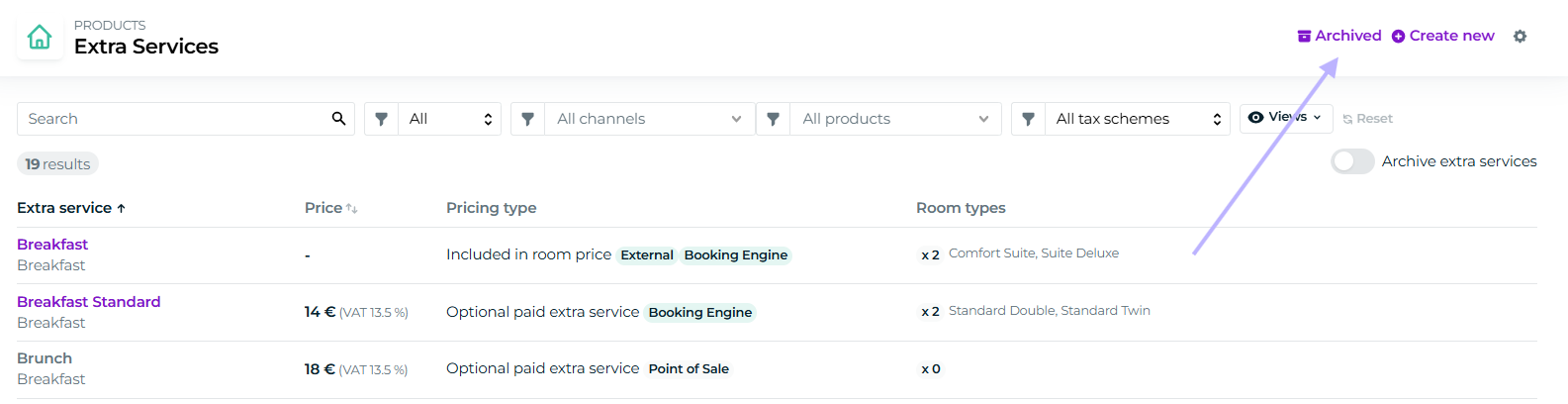
On the Archived extra services page, turn the switch on at unarchive extra services, check the extra service to be returned, and then click unarchive selected:

Removing an extra service
Go to Products - extra services
Open the extra you want to remove completely
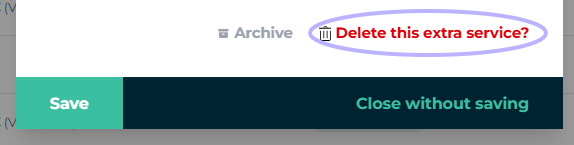
Scroll down, and select Delete this extra service?
Please note that you cannot delete an extra service that has been added to any booking or package, past or future.