12.8.2025 Pricing 2.0 - Price groups
Last updated: January 12, 2026
As the first part of the broader Pricing 2.0 overhaul in Moder, it is now possible to target one base price to affect multiple items at once, and to create multiple internal base prices for the same time.
One base price, many room types
Do you have multiple room types with the same price? Now it is enough to create one base price and add it to all desired items at once using a clear menu.
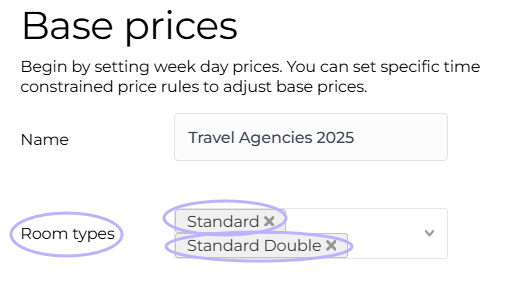
Pricing rules can still be applied by room type as usual. For example, you can set a base price for Standard and Superior Double, and then use a pricing rule to increase the Double room price by, say, 15%.
More about pricing rules in this guide focusing on accommodation pricing:
📄 Accommodation product: pricing
You can now also choose, whether any price rules are applied to the price.
With this setting you can, for example, make the price group for travel agencies static, and price rules that modify other prices will not affect the generated pricing.
Efficiency and flexibility in pricing using price groups

With the Pricing Groups tool, you can easily create, for example, net price groups for travel agencies and tour operators, or other price groups suitable for internal use. You can also display a certain price group by default in the reservation calendar. Here's how it works:
1. Create a price group
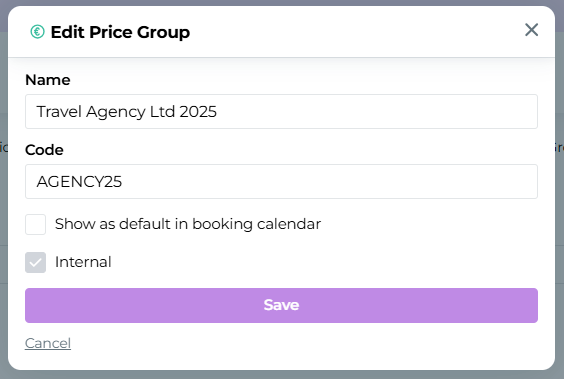
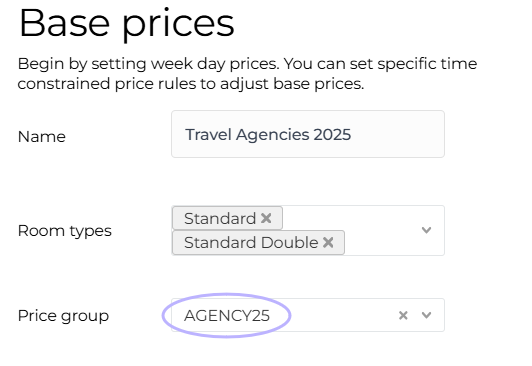
2. After that, base prices can be created, to which the newly created price groups are attached:

Attaching the price group in the base price:
How exactly is the price group used with a reservation?
Open Multibook
Select the reservation dates, number of people and units
Select price group
Add to cart
Add customer information & checkout
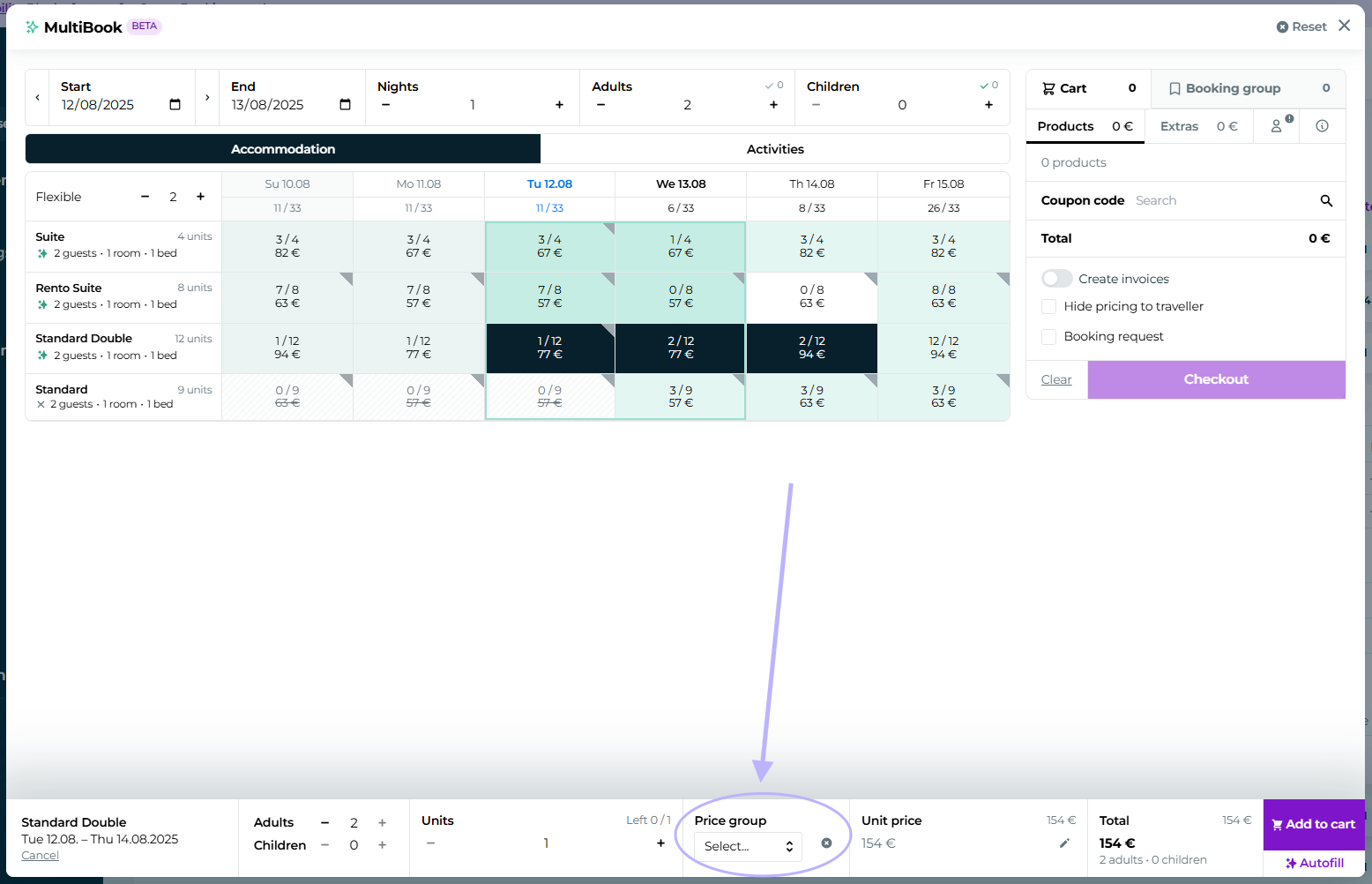
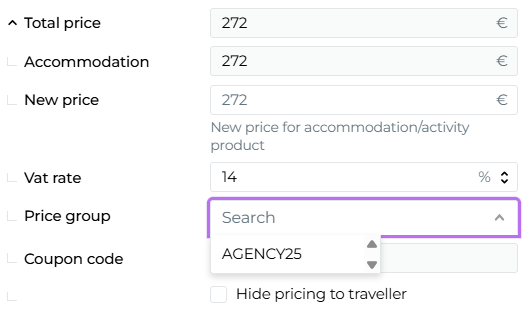
You can also add a price group retroactively to an existing reservation by opening the Total Price reservation in edit mode:
These features are available to you right away! If you need assistance with onboarding or have further questions, our support team will help.
Pricing 2.0: What’s still coming?
Our product development is now hot in terms of pricing. Adding the price group tool also enables the development work and further refinement of other desired features. For now, price groups can only be created for internal use, but in the future pricing in Moderi could look like this:
Prices with different reservation conditions, i.e. refundable and non-refundable prices
Pricing based on included additional services: is breakfast included in the price?
More efficient revenue management
More user-friendly structure
Now more than ever, it's worth closely following product releases.