26.5.2026: New in Moder: Product Catalog update and Experience Designer launch
Last updated: May 26, 2026
Moder’s Product Catalog has received a fresh new look and improved usability! You can now easily add new accommodation and hourly-based products directly from the product cards at the top of the page. We’ve also updated the product management view: you can now immediately see key information in the list view, such as the product type (accommodation or hourly-based product) and whether the product has been published to your webshop.
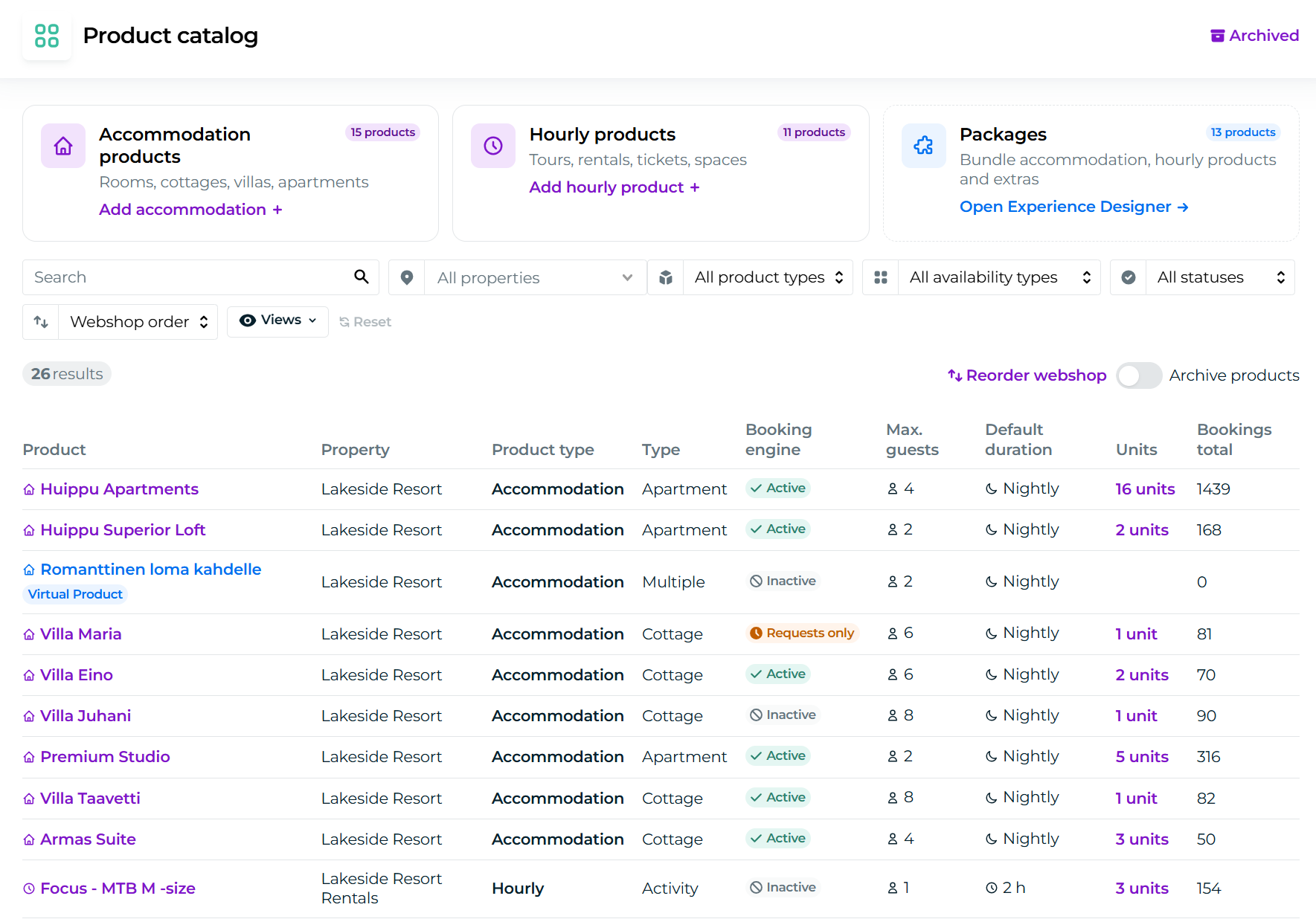
At the same time, we have launched Moder’s packaging tool, Experience Designer. Experience Designer is now available to all customers using Moder’s M package or higher.
You can access Experience Designer either from the left-side menu under Products → Experience Designer or from the top right corner of the Product Catalog page.
You can learn more about using Experience Designer through this support article.
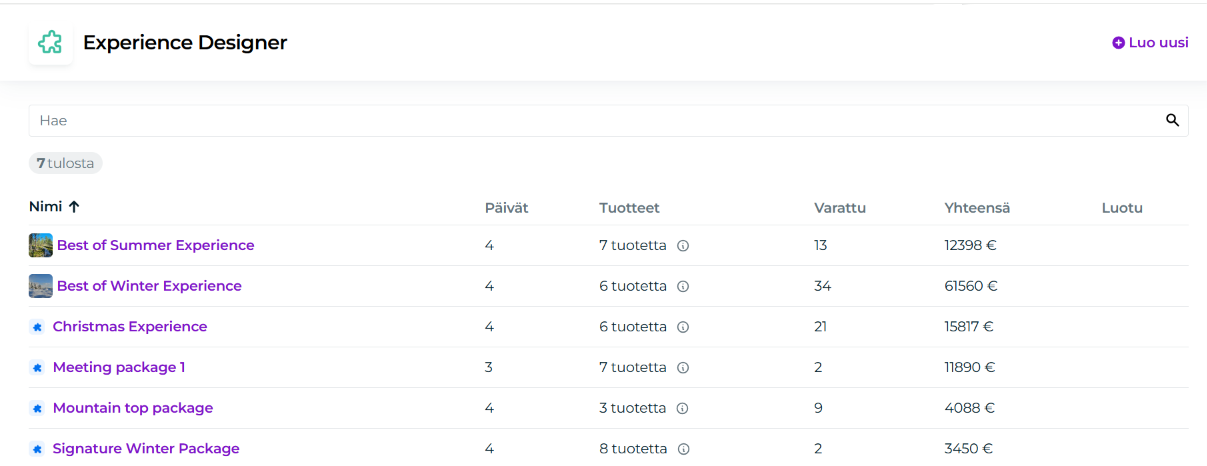
How do I add a new accommodation product to Moder?
Click “Add accommodation +” in the top left corner of the Product Catalog
Select the property (webshop) where the product will be added
Click “Create”
You will then be redirected directly to the familiar view where you can complete the product’s basic information, images, and texts.
If needed, you can find more detailed instructions for creating and pricing accommodation products in the following support articles:
📄 Accommodation product: creation, editing and management
📄 Accommodation product: units
📄 Accommodation product: pricing
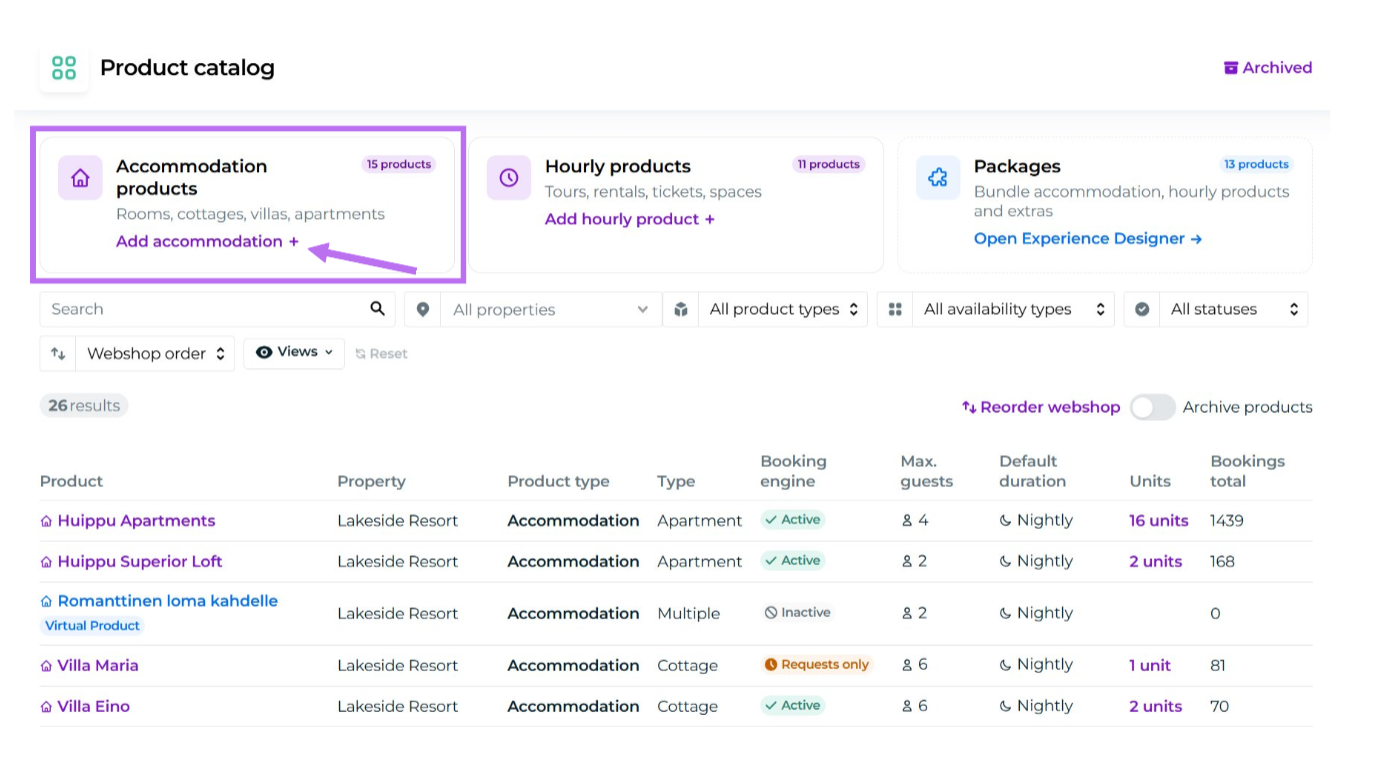
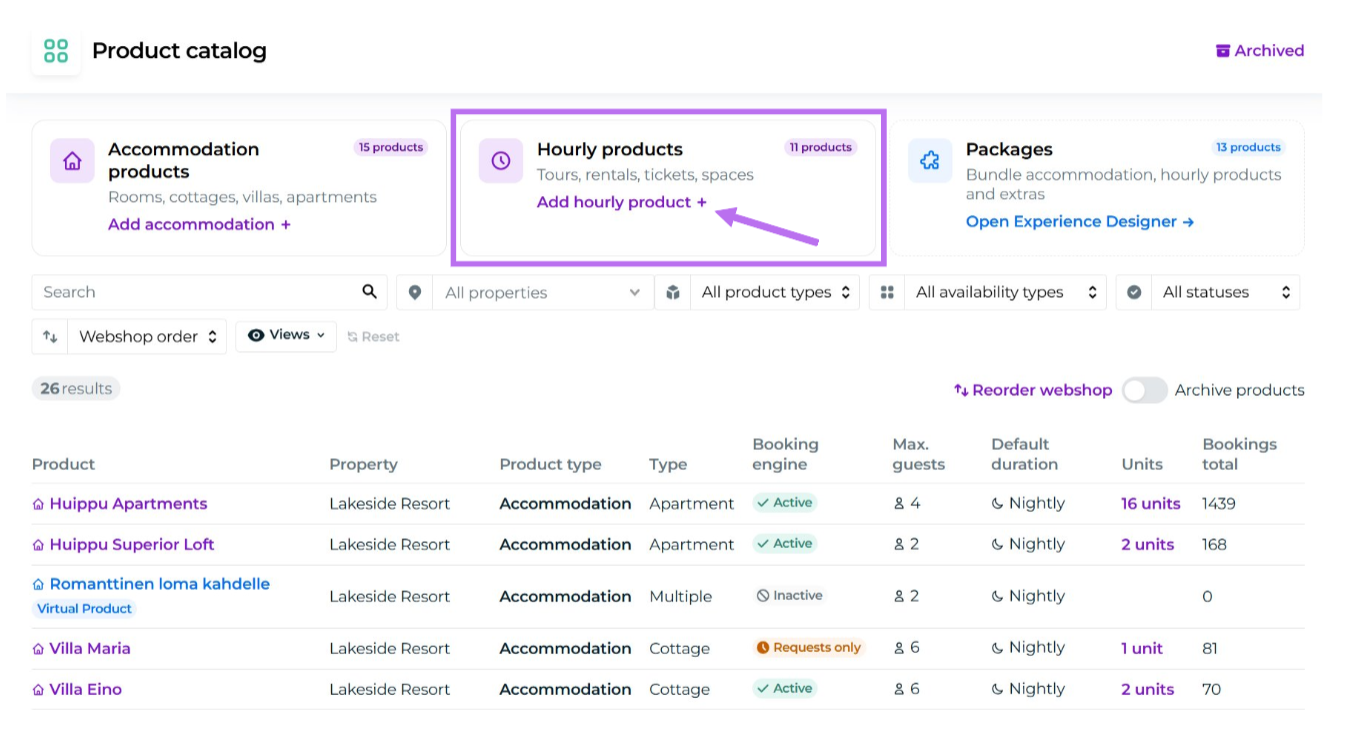
How do I add a new hourly-based product to Moder?
Click “Add hourly product +” from the Hourly Products card in the middle of the Product Catalog
Select the property (webshop) where the product will be added
Click “Create”
You will then be redirected directly to the familiar view where you can complete the product’s basic information, images, and texts.
Please note that the product type is now automatically set to Activity. This is the only product type that enables the product to be managed as an hourly-based product.
You can read more about creating and pricing hourly-based products in the following support articles:
📄 Activity: creation, editing and management
📄 Activity pricing: private activity
📄 Activity pricing: unit-based activity
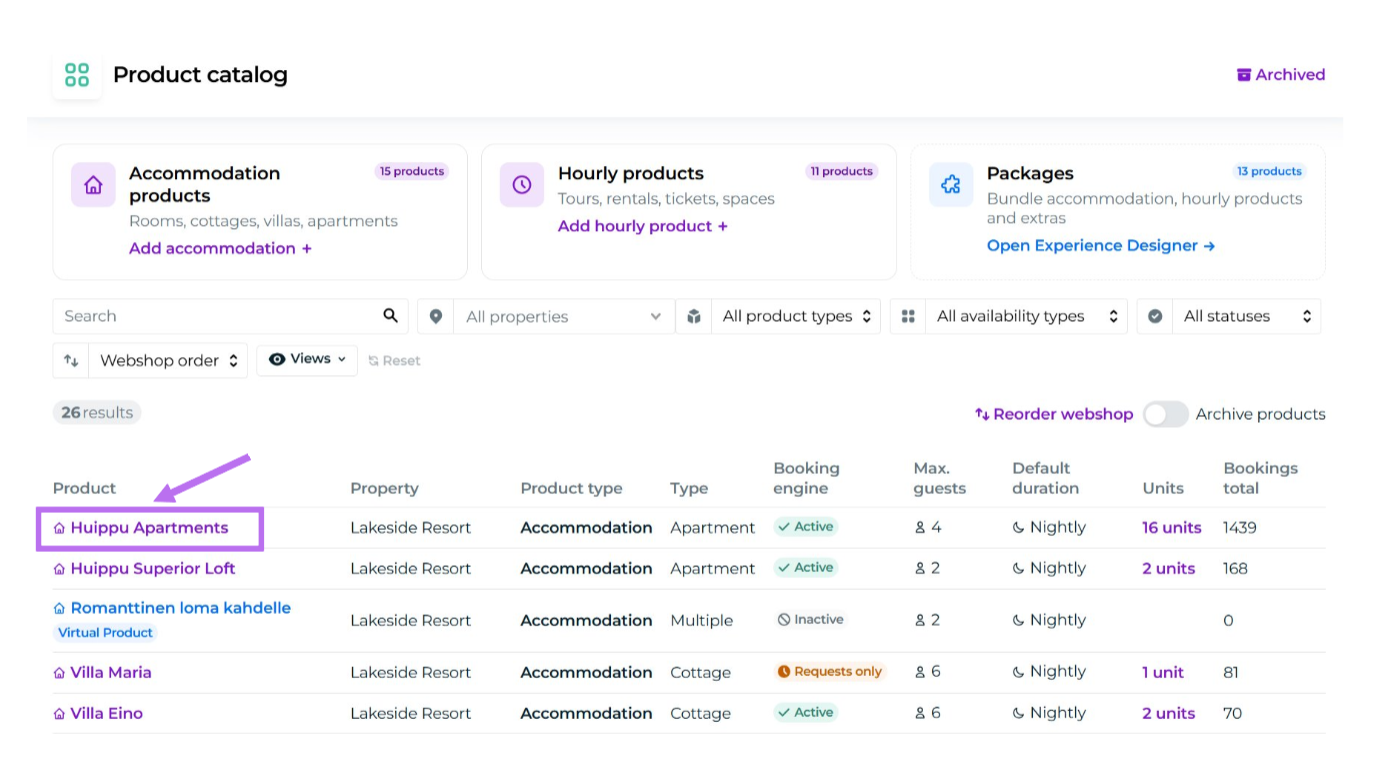
How do I edit an existing product?
Click the product name in the Product Catalog to open the product editing window.
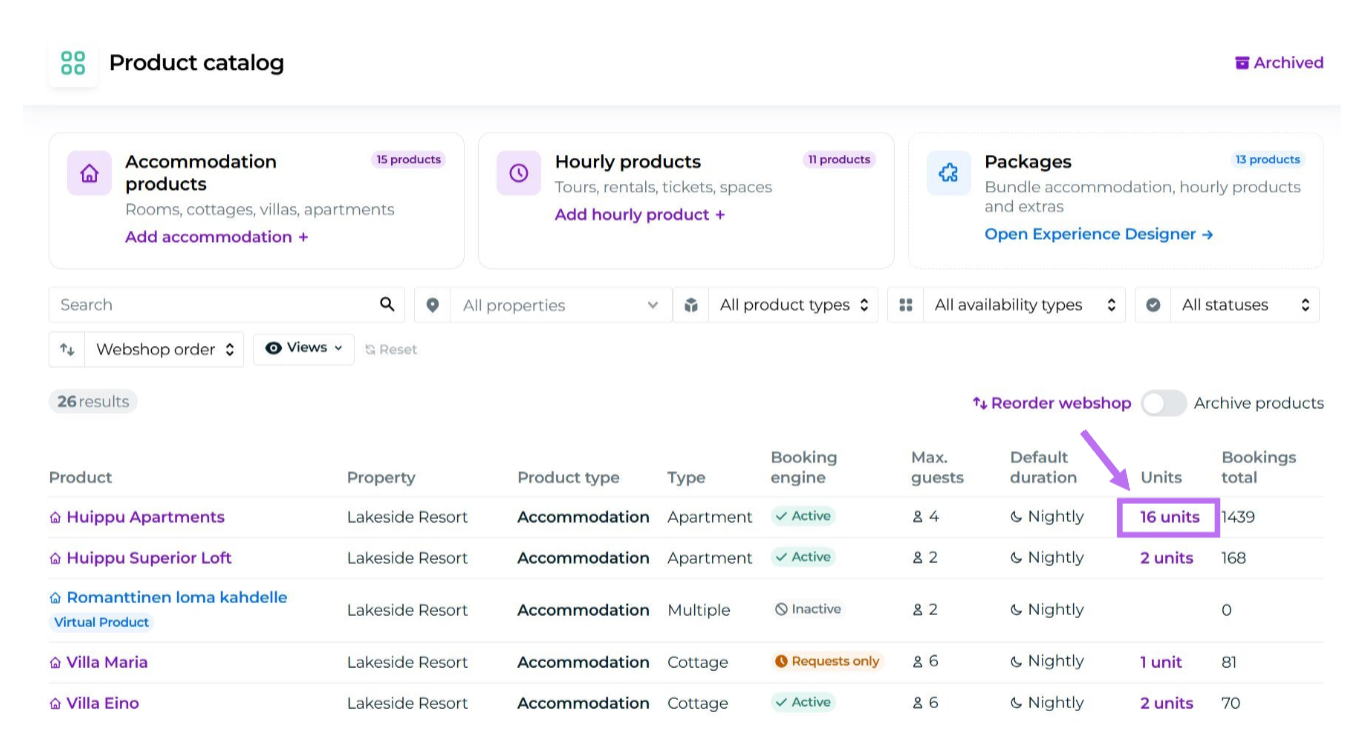
How do I add rooms or units to a product?
To add additional rooms or units to a product you have created, click the Units column for the desired product on the Product Catalog page.
Where can I open the webshop view?
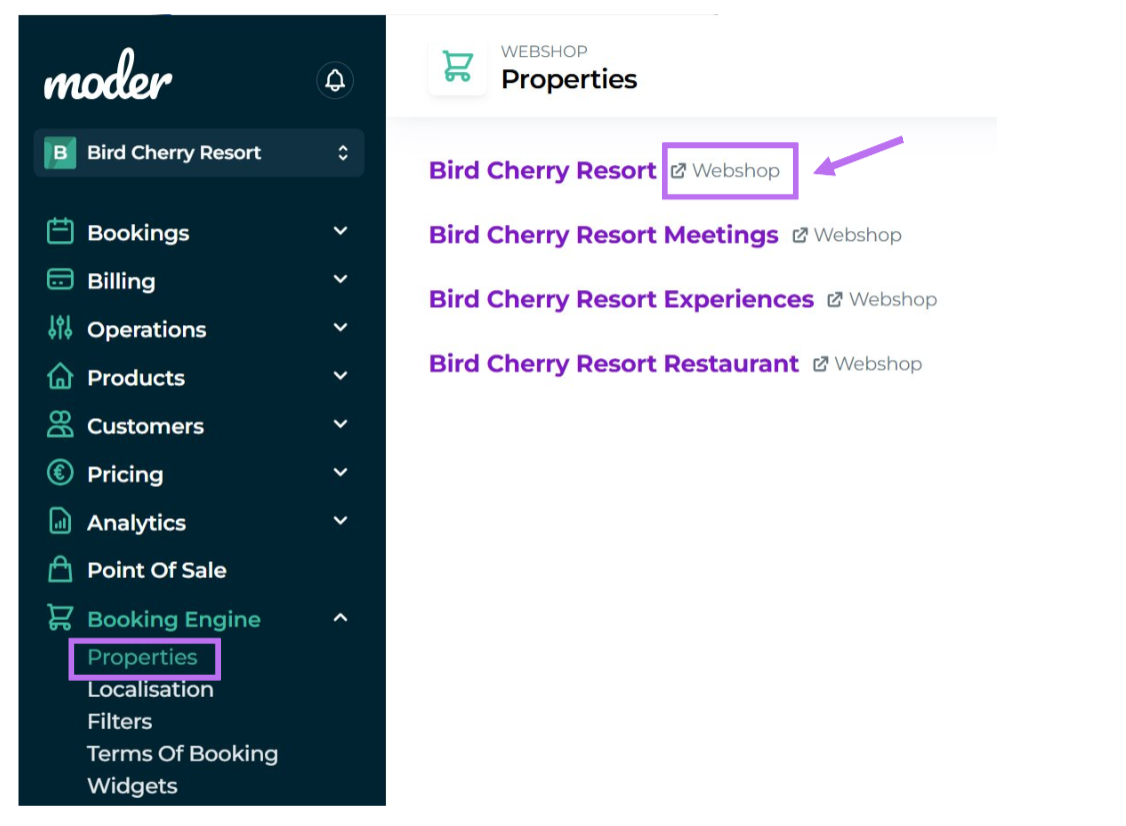
You can open the webshop view by going to Booking Engine → Properties in Moder and clicking “Webshop” next to the desired property. This will open the webshop view for that property in a new tab.