26.10.2026: New in Moder – Group bookings timeline 🎉
Last updated: October 26, 2026
We've improved Moder's group booking feature and introduced a new Timeline tab, making it easier than ever to manage group bookings and get a clear overview of all reservations!
You can find the new timeline both on the Group bookings main page and within each individual group booking.
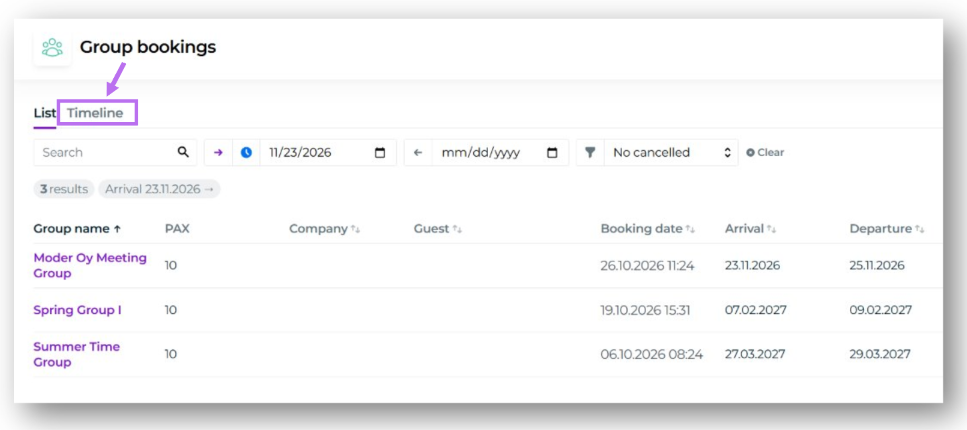
All group bookings on one timeline
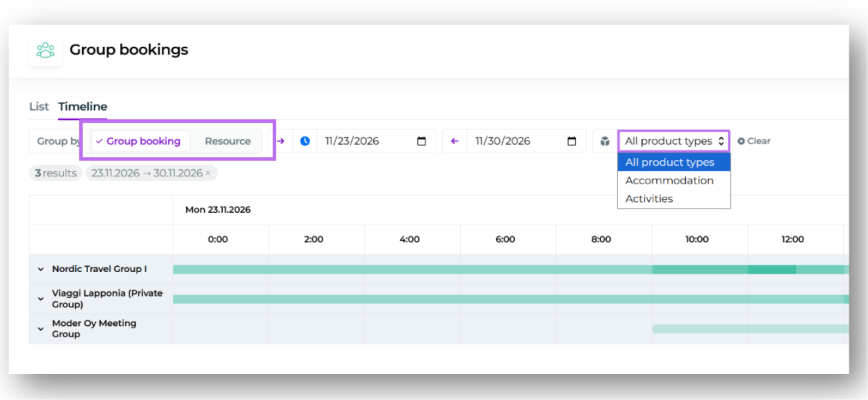
The timeline brings together all group bookings within the selected date range into one clear view. You can easily see which spaces and resources are reserved for different groups and when the reservations take place.
You can also open and edit bookings directly from the timeline by clicking on the desired booking.
The timeline offers two different viewing options:
By group booking (default): Each group booking is displayed as its own section.
By resource: View all resources reserved for groups within the selected date range on a single timeline.
You can also filter the timeline to display only accommodation or activity products.
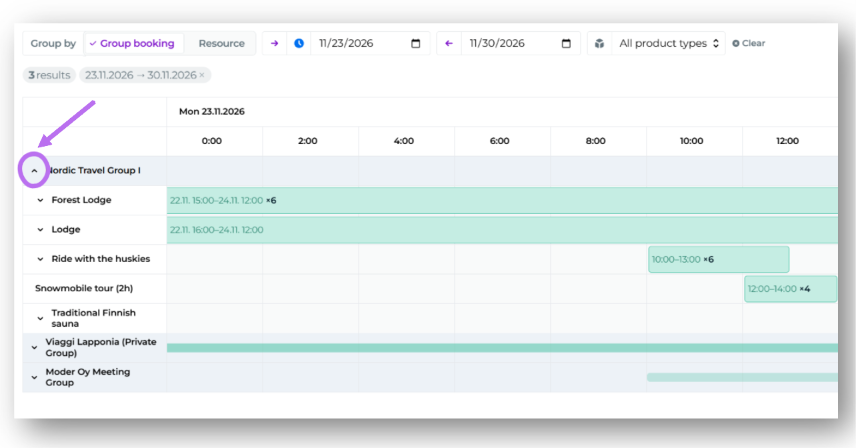
Viewing individual bookings within a group
Click the downward arrow next to a group's name to expand and view all individual bookings belonging to that group.
Tip: Hold down the SHIFT key while clicking the arrow to expand all group bookings at once!
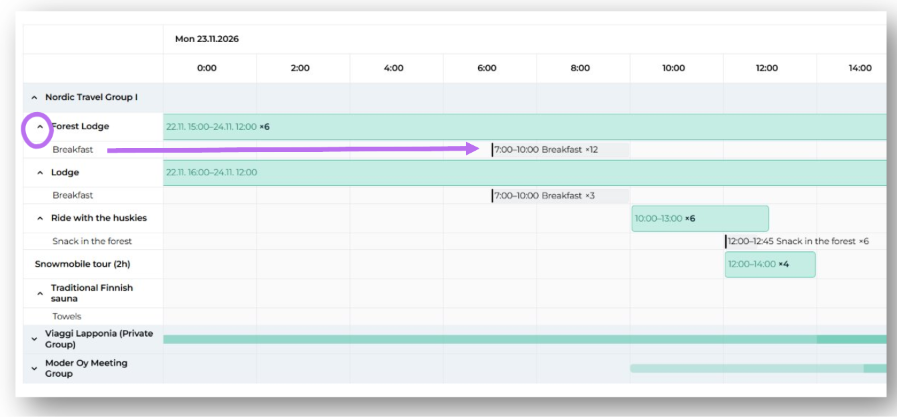
Extra services on the same timeline
The new timeline also displays extra services associated with each booking, including their scheduled times if a specific time has been assigned to the extra service.
Click the downward arrow next to a resource to expand a separate row showing all extra services associated with that booking.
Tip: Hold down the SHIFT key while clicking the arrow to expand and display extra services for all bookings at once!
With the new timeline, it's now easier than ever to get a complete overview of group bookings, reserved resources, and extra services, all in one place.