13.2.2026 Booking Hub
Last updated: February 13, 2026
Booking Hub: a central to your bookings
The booking preview window has been renewed as a Booking Hub! At the same time, it will be anchored to the right side of the page, allowing you to browse other pages—such as invoices or the booking calendar—at the same time. We’re also bringing editing features directly into this view, reducing the need to open bookings in a separate edit mode.
Key features:
Booking Hub will be anchored to the right side of the page
Many editing features added
Extras view - to help out with maintaining extra services
New Collection view - to make your group booking easier to handle
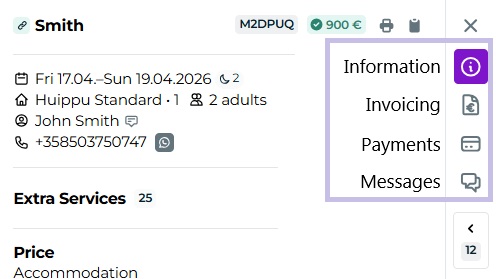
Additionally, the familiar tabs turn into icons, and attach to the right side of the page:
Manage the entire guest journey in one place.
Booking Hub brings all parts of a booking into a single view.
accommodation
extra services
activities
At a glance, you can see what’s included, what’s missing, and what happens next, without jumping between different views. This is especially helpful when a booking isn’t “just a room,” but an entire visit.
Invoices, payments, and operations in the same view.
In Booking Hub, you can check the payment and invoicing status directly alongside the booking. If something is unpaid or needs fixing, you can respond immediately in the right context, without separate processes or extra steps.
Less back-and-forth, more smooth everyday work.
New collection view.
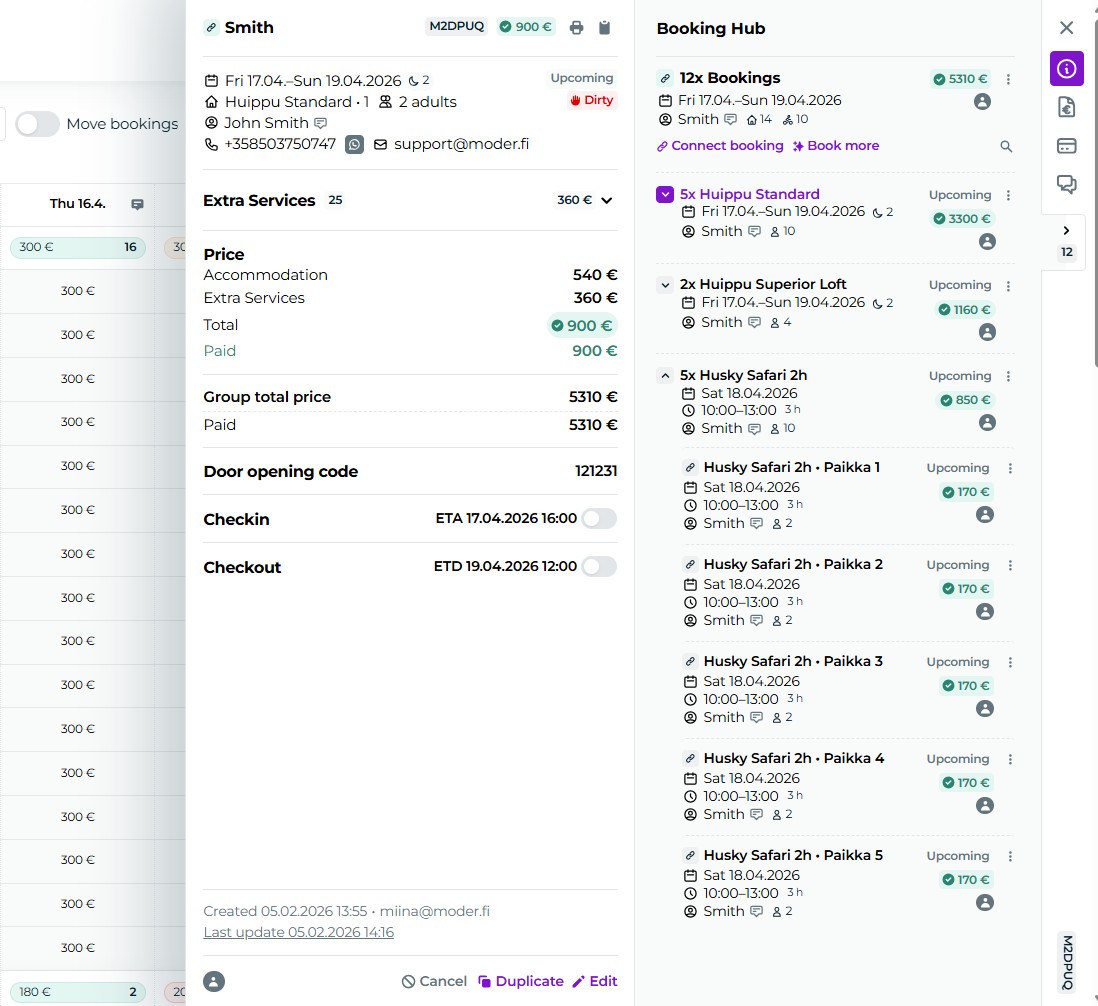
The heart of the update is the collection panel, which makes even large booking packages easy to manage.
In the collection view, you can:
see all bookings in the package at once
move quickly from one booking to another
make changes directly from the three-dot quick menu
manage even large packages without chaos
This is especially for those of you handling groups, events, and multi-part bookings:
Guide
All views explained in this guide: