Activity pricing: unit-based activity
Last updated: September 8, 2026
The pricing of unit-based activities, such as public sauna slots or group activities, differs from the pricing of private activities in that the same activity can be booked by multiple customers simultaneously.
This pricing method is well suited for open activities, where multiple spots can be sold for the same time slot, which maximizes the venue's utilization rate and increases sales opportunities.
You can learn about private activity pricing here: Activity pricing: private activity
Creating the base price of the activity
Start by selecting the room type you want to price from the Pricing page by clicking the arrow on the right side of the line.
Select Create base price or click the plus sign next to the Base Price text.

Pricing periods
Set the validity periods for the base price, for example a start and end date, if the price is intended for a specific period. The validity can also be continuous, if the price does not need to change regularly.
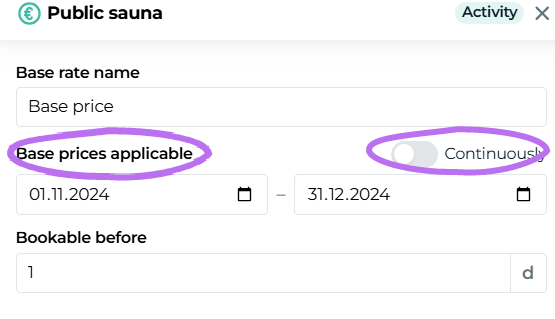
For example, you can create a continuous base pricing that covers all times without separate definition, and additionally define a second base pricing whose validity period is 1.5.–31.8.2025. In this case, the item normally has a continuously valid base pricing, but during the summer period 1.5.–31.8.2025 a base pricing specifically set for that period is applied. This allows flexible definition of seasonal prices, while continuous pricing covers all other times.

Bookable before -rule
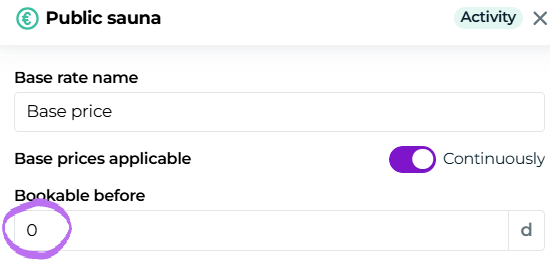
In the "Bookable before" section you can specify how far in advance customers must make a reservation. This setting gives you control over scheduling bookings and ensures that the preparation time for organizing the activity is sufficient.
The default setting is one day, meaning the reservation must be made at the latest on the previous day. This rule helps manage the booking situation and prevents last‑minute reservations that could cause logistical challenges. With the default setting you ensure that you have enough time to prepare for customers' arrival.
If you set the value to 0, this means that the activity can be booked on the same day.
Setting the daily price and times
In the next step of pricing, the activity's price and bookable times are defined so that customers can choose a time that suits them.
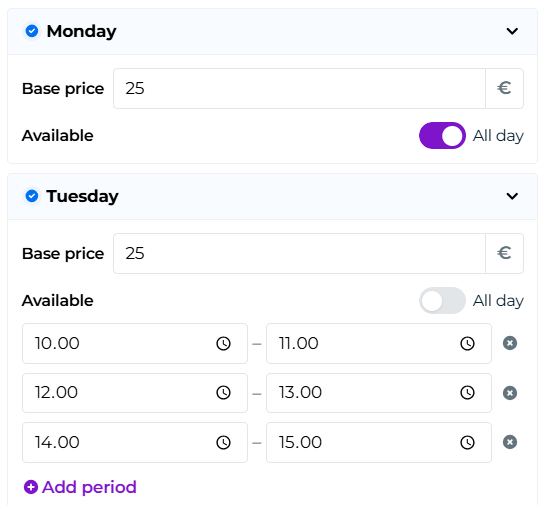
You can set a daily price and availability by clicking the arrow next to each day of the week
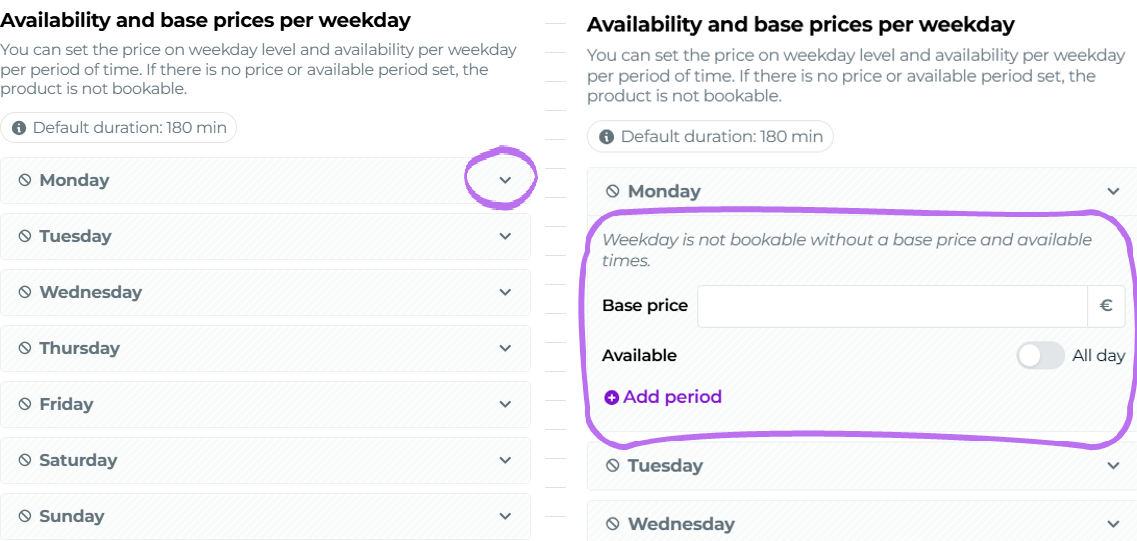
Set the activity's availability, for example, between 10:00 and 19:00. Moder automatically divides the reservable times for the activity into intervals (slots) based on the default duration. If, for example, the activity's default duration is 60 minutes, the program slices the time range into one‑hour slots that customers can book
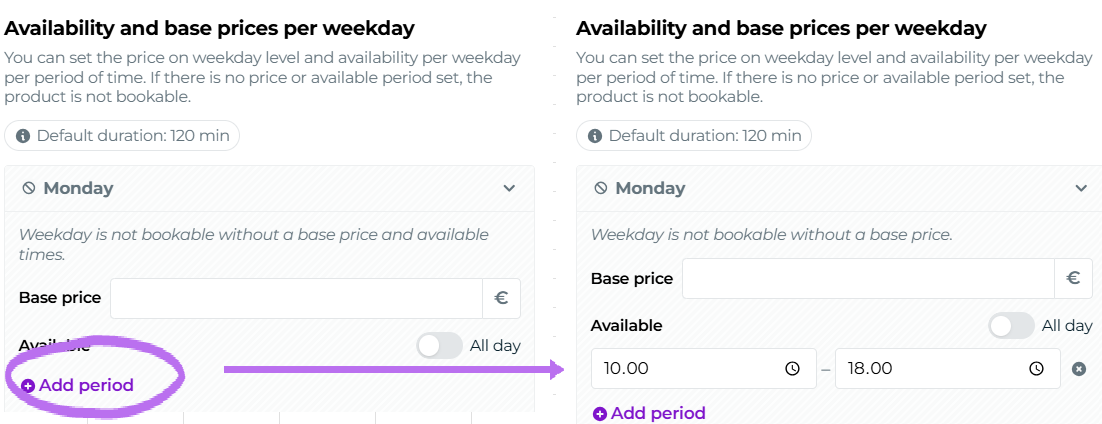
If you need time, for example for cleaning or other temporary measures, you can adjust the times by setting different intervals. This ensures that the use of the activity or resource is smooth and that all necessary measures can be completed before the next reservation.
NOTE! Make sure you set the slots exactly according to the default duration of the resource.
For example, if the activity's default duration is 60 minutes, set the slots exactly one hour apart (e.g., 10:00-11:00, 11:00-12:00, etc.). An incorrectly set slot that does not match the booking's default duration can cause issues with the activity's price and visibility in the online store.
If your activity product is available to travelers around the clock, select your product to be bookable for the Whole Day.
Set the item's price and set the times for the days when the activity is bookable. This ensures that the activity is displayed in the online store and sales channels correctly priced and with the correct schedules.
NOTE! Since this is a seat reservation for an individual activity, remember that you are now setting the price for a single seat.
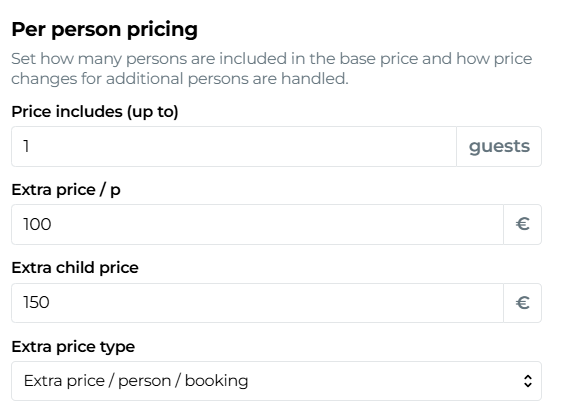
Also remember to set the price to include one (1) person. This way the base price covers the reservation of one seat.
Per Person Pricing Settings
In unit-based activities, such as public sauna sessions or snowmobile rides, the base price generally includes one person. This means that each booked spot covers one participant. If a traveler books a spot for multiple people at once, it is advisable to set additional person pricing so that the activity is priced correctly and fairly.
For example, on snowmobile safaris that seat two people, the base price often only covers one person, so an additional charge for a second passenger is necessary.
Pricing logic for time-based activities with adult and child rates:
When setting pricing for hourly activities with separate adult and child tariffs, consider the following logic:
Base price (e.g., €157) is the price for one adult.
Included in price field is set to 1 guest.
Additional price per person (e.g., €157) is the price for a second adult.
Additional price per child (e.g., €75) is the price for a child when booking exactly 1 adult and 1 child.
Additional price calculation method should be set to the option Additional price / person / default duration for hourly activities.
This ensures that the child price functions correctly with different adult and child combinations.
Number of persons included in the price
In single-person activities, such as a general sauna session, the base price generally covers one person. Define the number of persons included in the base price so that pricing is clear to customers.
For example: "The price includes 1 guest" means that the price covers a reservation for one seat.
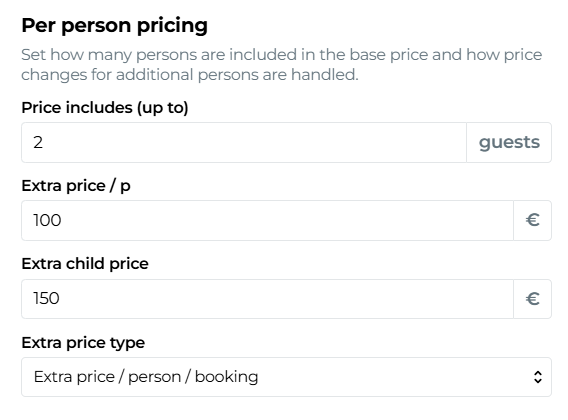
Set an additional price for each extra person booked in the same reservation.
For example, if the standard freestyle session price includes one person and the customer books a place for a second person, the additional price is likely the same as the price for the included person.
This pricing method is especially important when unit bookings are made for multiple people, such as in motor sleds where the sled fits two persons, but the base price covers only one passenger.
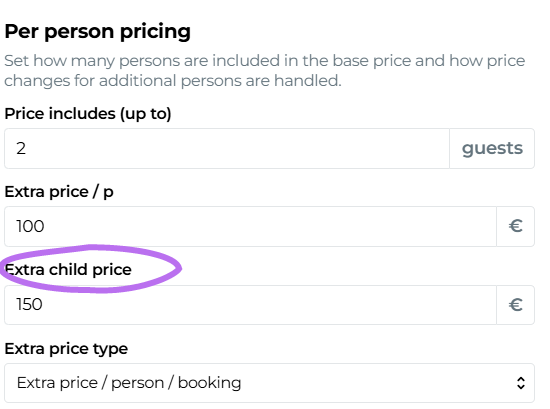
You can set a separate extra charge for children. For example, "Extra charge per child €3" allows offering a discounted price for children, which can attract families to the activity.
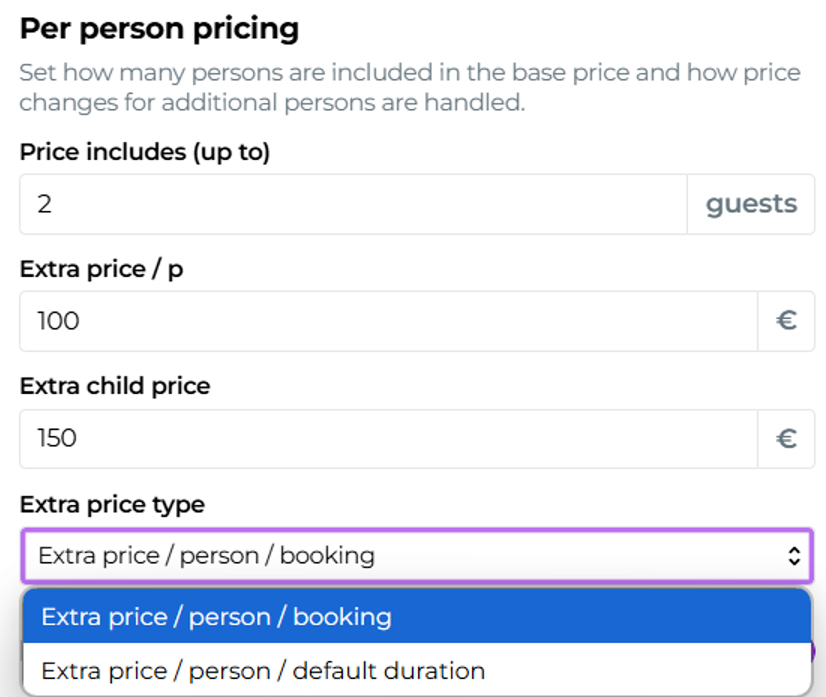
Also choose an appropriate extra charge calculation method that determines how the surcharge is applied:
Additional price / person / reservation
This option means that the additional price is calculated for each extra person for the entire reservation period. This is useful when the activity is a one‑time or short‑duration event, such as a regular sauna session.
Additional price / person / default duration
This option charges an extra fee for each additional person according to the activity's default duration. For example, if the default duration is 60 minutes and the extra fee is €5 per person per hour, the extra fee multiplies according to the length of the reservation.
You can optionally add additional price information that is shown to the customer next to the price in search results. These texts provide customers with more details about what the price includes, and help distinguish your listing from others.