Settings - Accounting
Last updated: June 12, 2026
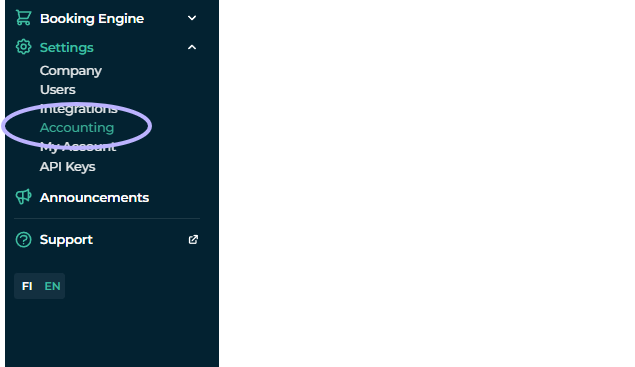
Accounting section in Moder, under Settings, the section is intended for making accounting allocations. Through this you can combine products, or for example payment methods, to different accounts.
It is simply explained as chart of accounts creating in Moder, whose possible account numbers and tracking must come from your accounting and/or financial management.
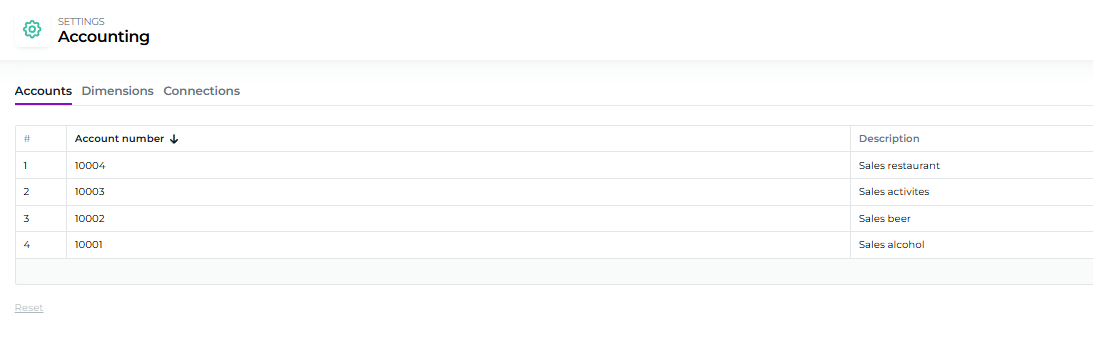
Accounts
Our guide starts accounts, which are simply bookkeeping accounts that you want to track from your Moder. This is the so-called lower level of product categories, and Dimensions items (which are presented below) are the higher level of these.
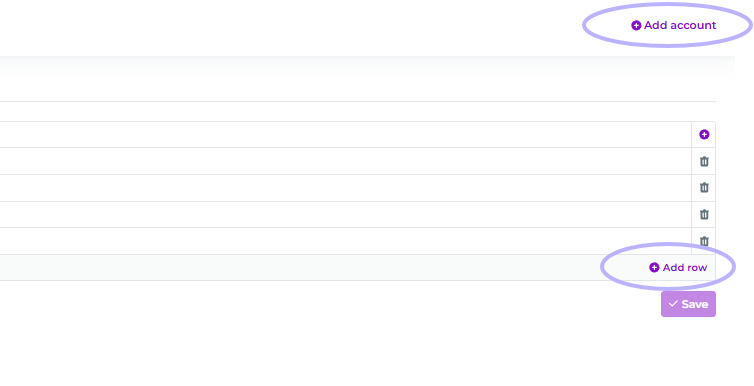
You can add accounts separately, as well as rows from the top right. Remember to press Save!
Dimensions
As we mentioned, Accounts section is basically a sub-level of trackable items/product categories and Dimensions higher level. Accounts can include, as above, account numbers and descriptions, e.g., different product categories and payment methods, that are to be tracked.
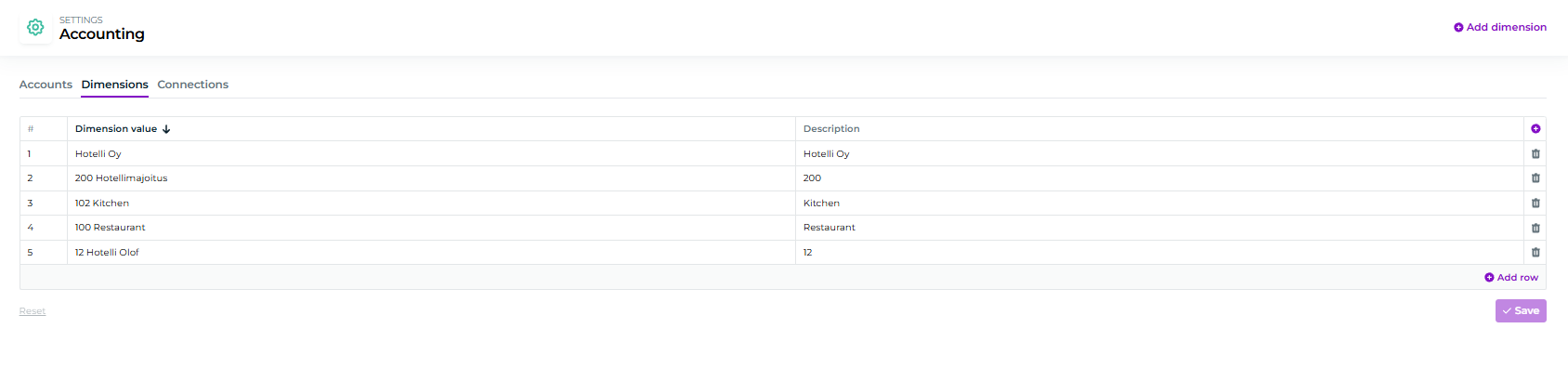
You can also add these from the top right by clicking "Add dimension." And remember to click Save!
Connections
Next is also Connections section, i.e., how all items are linked together:
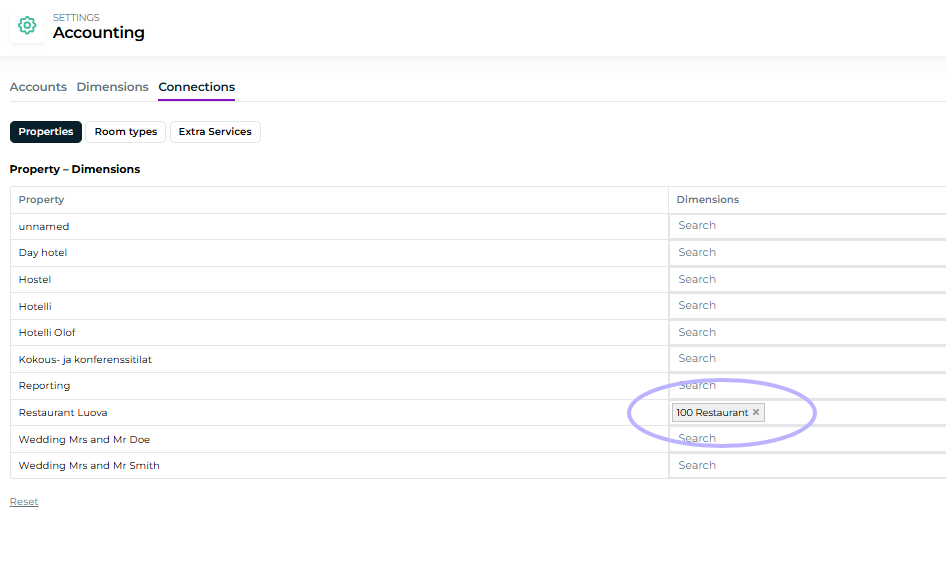
From here, dimensions can be linked to different products or targets, which are properties, room types, and extra services:
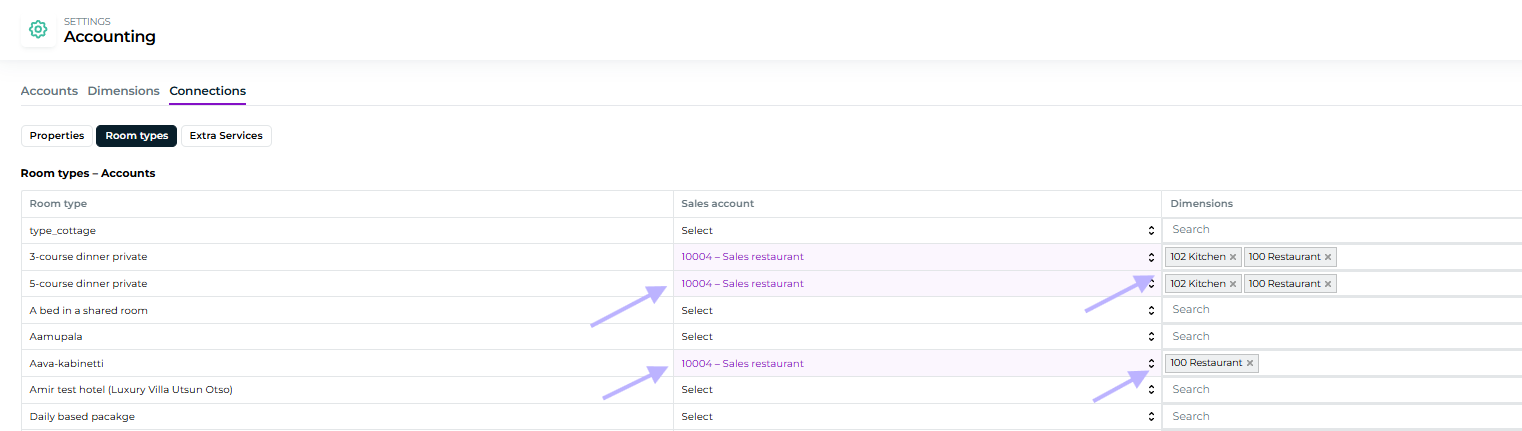
In the example above, products are linked to the restaurant's sales account, which are to be tracked from reports.
Sales by account report
The accounting feature's sales can be tracked from a new report called Sales by accounts, where the accounting sales figures are collected and the accounts are displayed:
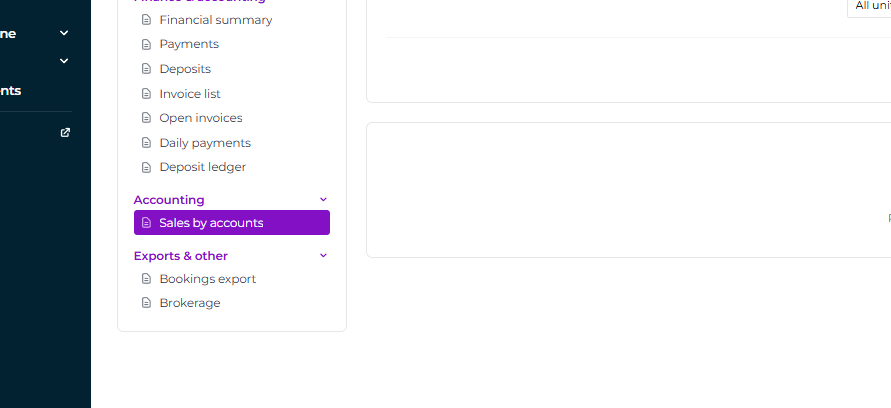
Note! Via Restolution integration, the room calculation orders that arrive in Moder do not get recorded on this report at all, so they cannot be added to the Accounting section.
Questions?
You can always ask for more information from our support, or if needed, from your accountant, or a finance management expert:
Moder Support
Mon-Fri 9.00-16.00
+358 50 375 0747
We also recommend Moder's financial management guide, which can be found from the link below: Guide to Moder's financial management