10.4.2026: Moder weekly update – New filters and saved views
Last updated: October 8, 2026
This week, we made Moder even smoother to use 🚀
We’ve revamped filtering and introduced new filtering options across key views:
Bookings List
Product Catalog
Extra Services
Prices
In addition, you can now save filtered views per user in all the views above, as well as in the Bookings Calendar.
No more repeating the same searches — open the views that matter to you with just one click.
Saving filtered views
You can save filtered views in the Bookings Calendar, Bookings List, Product Catalog, Extra Services, and Pricing.
How to save a view:
Select the filters you want in the view
Click “Views” → “Save filters as”
Name the view and click “Save”
The saved view will then be available to you.
Please note that views are user-specific: only you can see your saved views, and your colleagues can create their own. Moder also remembers your last used view, so you don’t need to select it again when returning to the same page.
New filters in the Bookings List
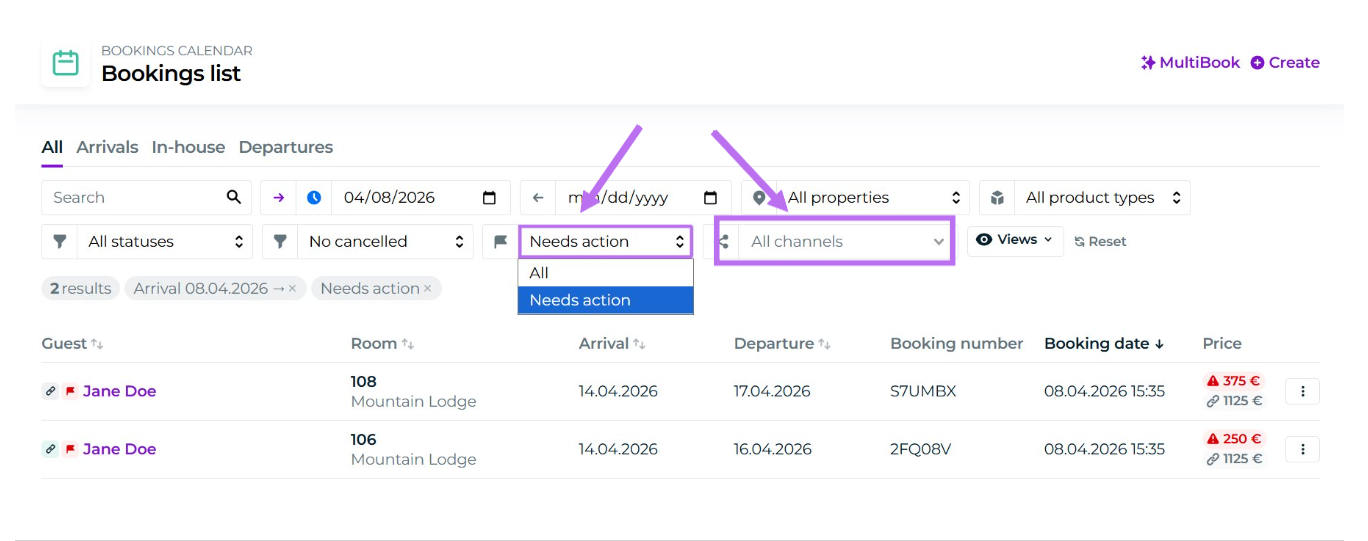
Two new filtering options have been added to the Bookings List:
Filter bookings by booking channel
Filter bookings with unresolved issues (you can read more here)
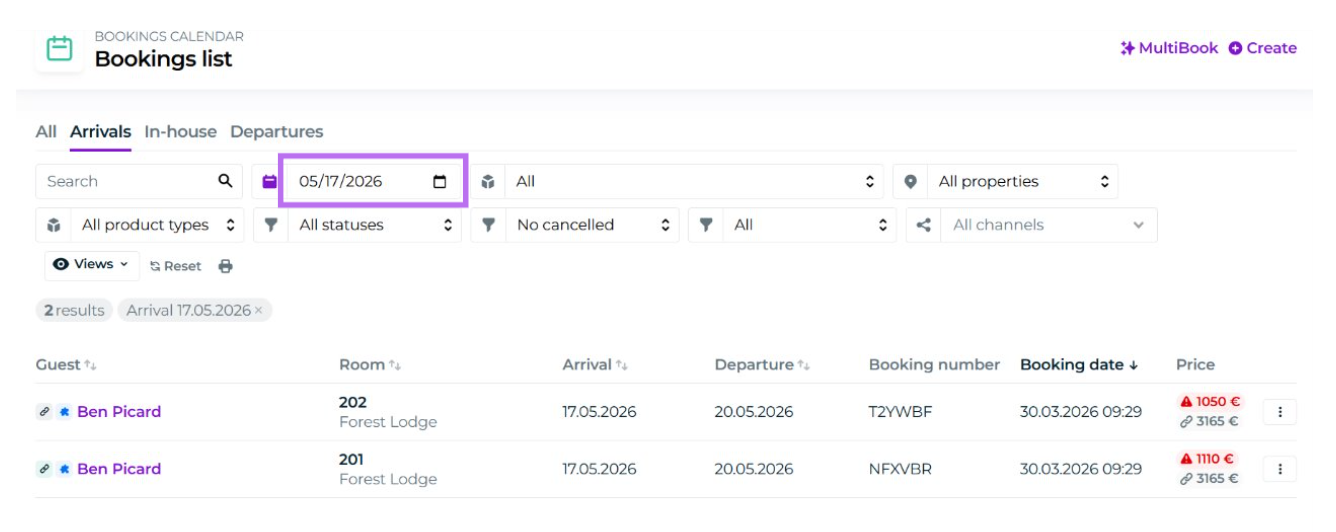
In addition, a date search has been added to the Arrivals and Departures tabs. You can now view arrivals and departures for any selected date.
New filters in the Product Catalog
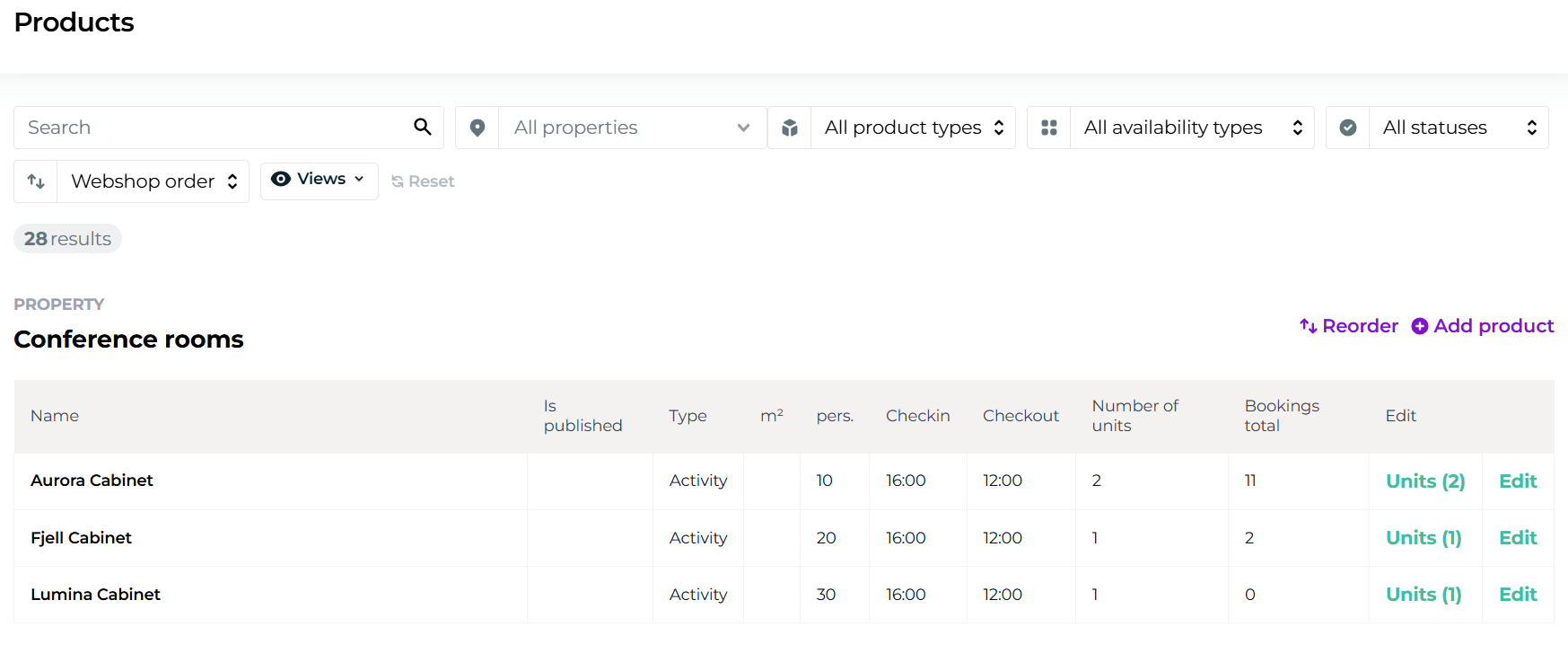
Several new filters have been added to the Product Catalog. You can now filter by:
Property
Product type (accommodation or activity)
Availability type (standard, virtual, or destination product)
Whether products are published in the webshop or not
There is also a free text search to quickly find products using keywords.
New filters in the Extra Services view
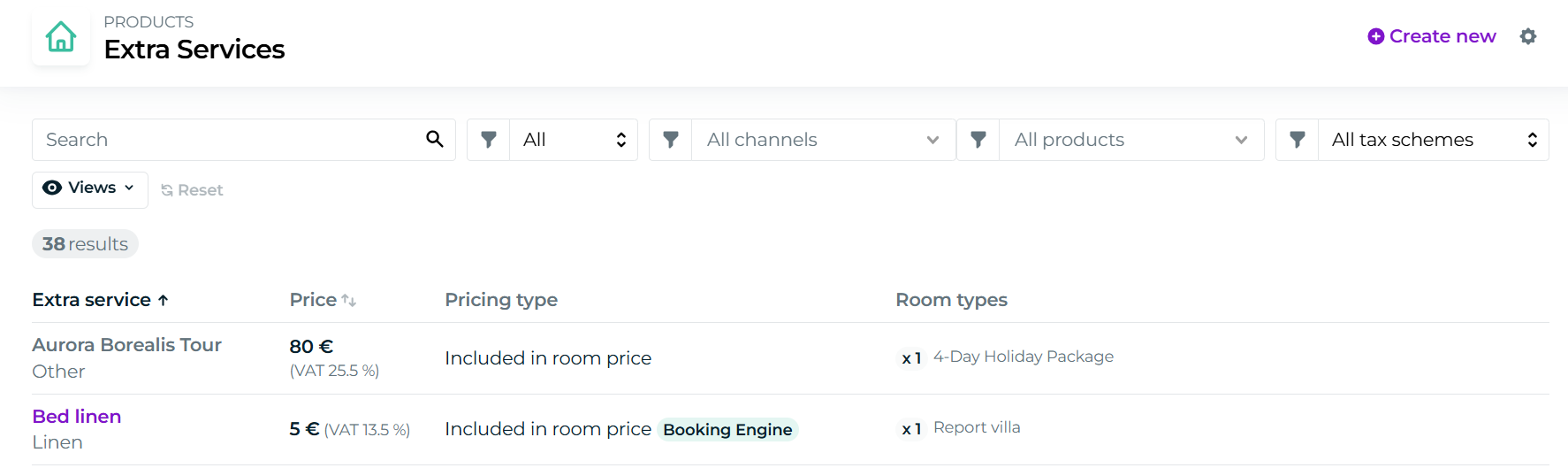
The Extra Services view now includes new filtering options. You can filter by:
Type: included in price or optional add-ons
Channel (webshop, external channel, or POS sales)
Product: select a main product from the dropdown to see its linked extra services
Tax category (margin scheme or standard products)
A free text search is also available to help you quickly find add-ons.
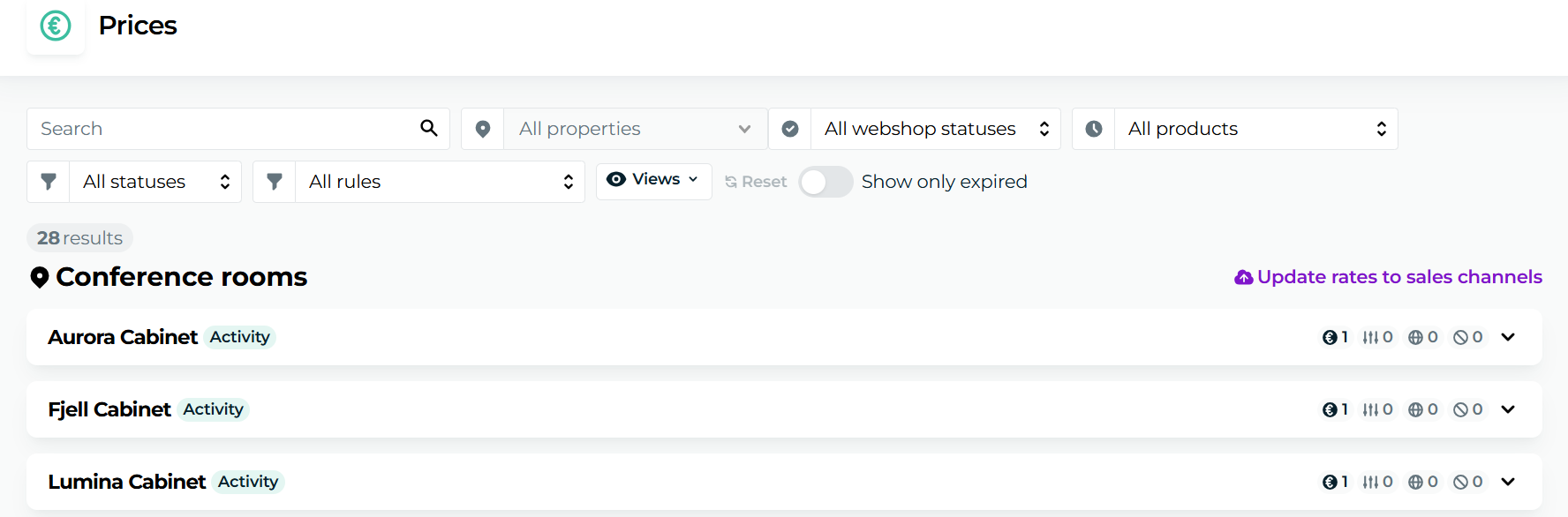
New filters in the Pricing section
The pricing section now includes new filtering options. You can filter by:
Property
Product type (accommodation and activity)
Free text search
First Moder Lounge Live – April 8, 2026
The first Moder Lounge Live took place on April 8, 2026, hosted by Moder CEO Matti Ala-Outinen.
The webinar introduced Moder’s latest features as well as upcoming releases, such as the Experience Designer packaging tool and the new webshop.
You can watch the recording in English here.